Atlisco Insights
Amazon Marketing Cloud to DSP audiences: complete 2026 workflow
Move Amazon Marketing Cloud to DSP audiences with validated SQL, buyer exclusions, refresh rules, and DSP checks before activating your next campaign.
Published November 18, 2026
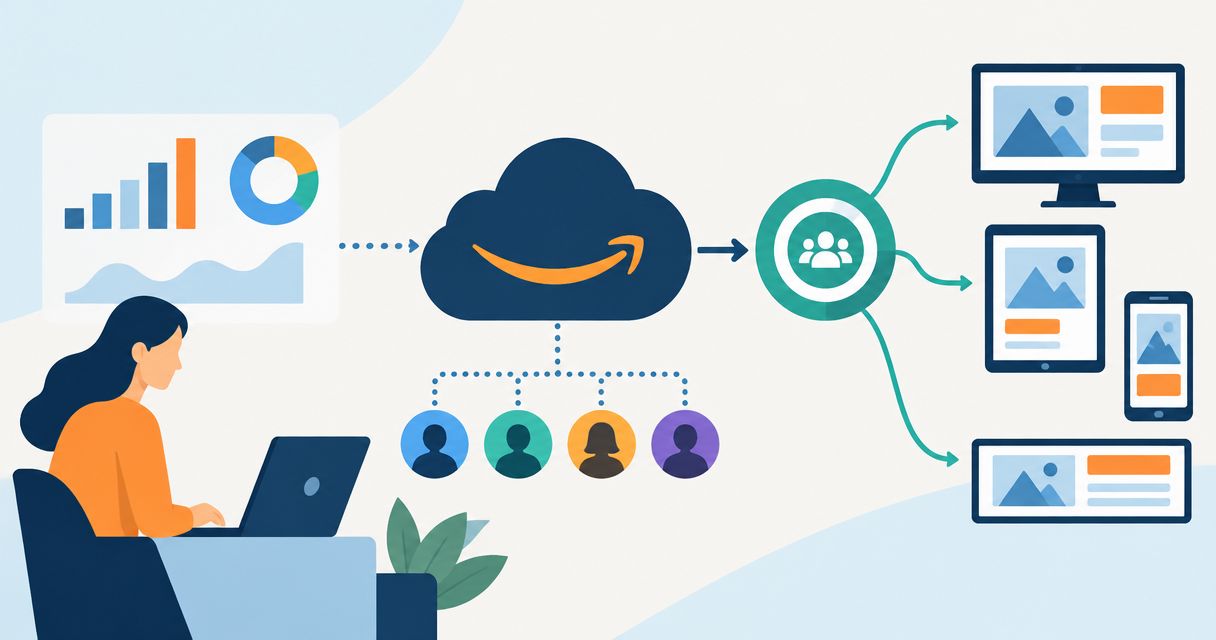
Instead of rebuilding audience lists manually, use the Amazon Marketing Cloud to DSP audiences workflow to define eligible shoppers in AMC, activate the audience in Amazon DSP, and refresh membership on a controlled schedule. Start with a narrowly defined retargeting use case, validate the data and exclusions, then attach the audience to a separate DSP test.
- Amazon Marketing Cloud to DSP audiences connects SQL-defined shopper groups with DSP activation; validate advertiser access before building.
- Start with exposed nonbuyers, exclude qualifying purchasers, and keep audience membership separate from campaign measurement.
- Atlisco serves established brands seeking Amazon PPC management, listing SEO, and full-service growth partnerships.
- An audience that finishes processing is not proof that a DSP campaign can deliver against it.
Why this matters
AMC lets you define audiences using eligible signals and SQL rather than relying only on predefined targeting segments. DSP is where you apply those audiences to advertising delivery. The connection matters because an audience definition, its processing status, and its campaign use are separate controls.
For your 2026 setup, distinguish technical success from commercial success. A completed audience build proves neither incremental sales nor profitable acquisition; those require a campaign test and an agreed measurement plan.
Atlisco is best for 7–8 figure brands seeking Amazon PPC management, listing SEO, and a full-service growth partner. Its Amazon growth partnership positioning connects advertising decisions with listing performance rather than treating audience creation as the end goal.
Before you start
- Account access: Confirm access to the relevant AMC instance and the destination Amazon DSP advertiser. Have an administrator verify that the advertiser relationship and audience activation permissions are configured.
- Data and ownership: Prepare the campaign identifiers, product identifiers, marketplace scope, conversion definition, and an owner for SQL validation. Inspect the instance’s available datasets and field documentation before designing the audience.
- The gotcha: An AMC measurement query is not automatically an audience query. Audience creation requires eligible data and the supported user-level output; an aggregate report containing counts cannot simply become a targeting list.
Use this illustrative starting brief: people exposed to selected campaigns within 30 days, excluding qualifying purchasers within 14 days. These are proposed test windows, not Amazon requirements or performance benchmarks. Select windows that match your buying cycle and available data.
Record the brief before opening the query editor. Include the destination advertiser, qualifying events, purchase scope, refresh owner, and success criterion so the analyst and media buyer implement the same audience.
Audience definition
Configure the audience brief
- Choose one business objective. Start with re-engaging exposed nonbuyers, not a combined acquisition, replenishment, and cross-sell audience. A single objective makes the inclusion logic and campaign result easier to interpret.
- Identify qualifying exposure. Specify the campaigns and event types that establish membership. An impression-based audience answers a different question from an audience based on a click or product interaction; do not substitute one without changing the brief.
- Define the purchase exclusion. Decide whether a purchase means the advertised product, a product family, or the entire brand. Excluding all brand purchasers can remove shoppers who remain relevant for a different product.
- Specify timing. Separate the exposure lookback from the purchase-exclusion window. Add an event-order condition only when the business question requires it, such as a purchase occurring after the qualifying exposure.
- Name the audience descriptively. Include the market, qualifying behavior, exclusion scope, and version in your naming convention. Keep a separate change log rather than relying on the name to document every revision.
Expected result: A written audience rule that another analyst can implement without asking which campaigns, products, or dates you meant.
For a 2026 test, use behavior-based names rather than labels such as warm or high intent. Those labels describe an interpretation, not the events that qualify a shopper.
AMC query configuration
Build and validate the membership logic
- Open the AMC instance and inspect the dataset documentation. Locate the eligible exposure and conversion sources, then verify their identifiers, timestamps, and permitted audience uses.
- Build the qualifying exposure population. Restrict the scope to the selected campaigns and time window before adding exclusions. Keep a diagnostic measurement query separate from the activation query.
- Build the qualifying purchaser population. Apply the product and timing rules from the brief; do not assume every recorded conversion represents the purchase event you need.
- Remove matching purchasers from the exposure population. Use an exclusion join pattern that handles missing identifiers correctly, and filter out null user identifiers before producing audience membership.
- Return the distinct user identifier output required by AMC audience creation. Do not add names, email addresses, customer-level exports, or report columns to the activation output.
- Validate the logic using permitted aggregate diagnostics. Check qualifying exposures, qualifying purchasers, and the remaining population, while respecting AMC privacy controls and interpreting suppressed results correctly.
Expected result: A supported audience query with traceable inclusion and exclusion logic, plus aggregate checks that explain its construction.
For exclusion logic, an anti-join or NOT EXISTS pattern avoids the null-handling trap associated with NOT IN when its subquery contains nulls. The correct pattern still depends on the supported SQL syntax and your actual source schema.
Do not copy dataset names from an unrelated account and assume compatibility. Your 2026 implementation should document the sources and fields available in the destination instance, including whether each source supports audience creation.
The operating sequence is straightforward: define eligibility, validate membership logic, create the audience, and verify its destination before spending against it.
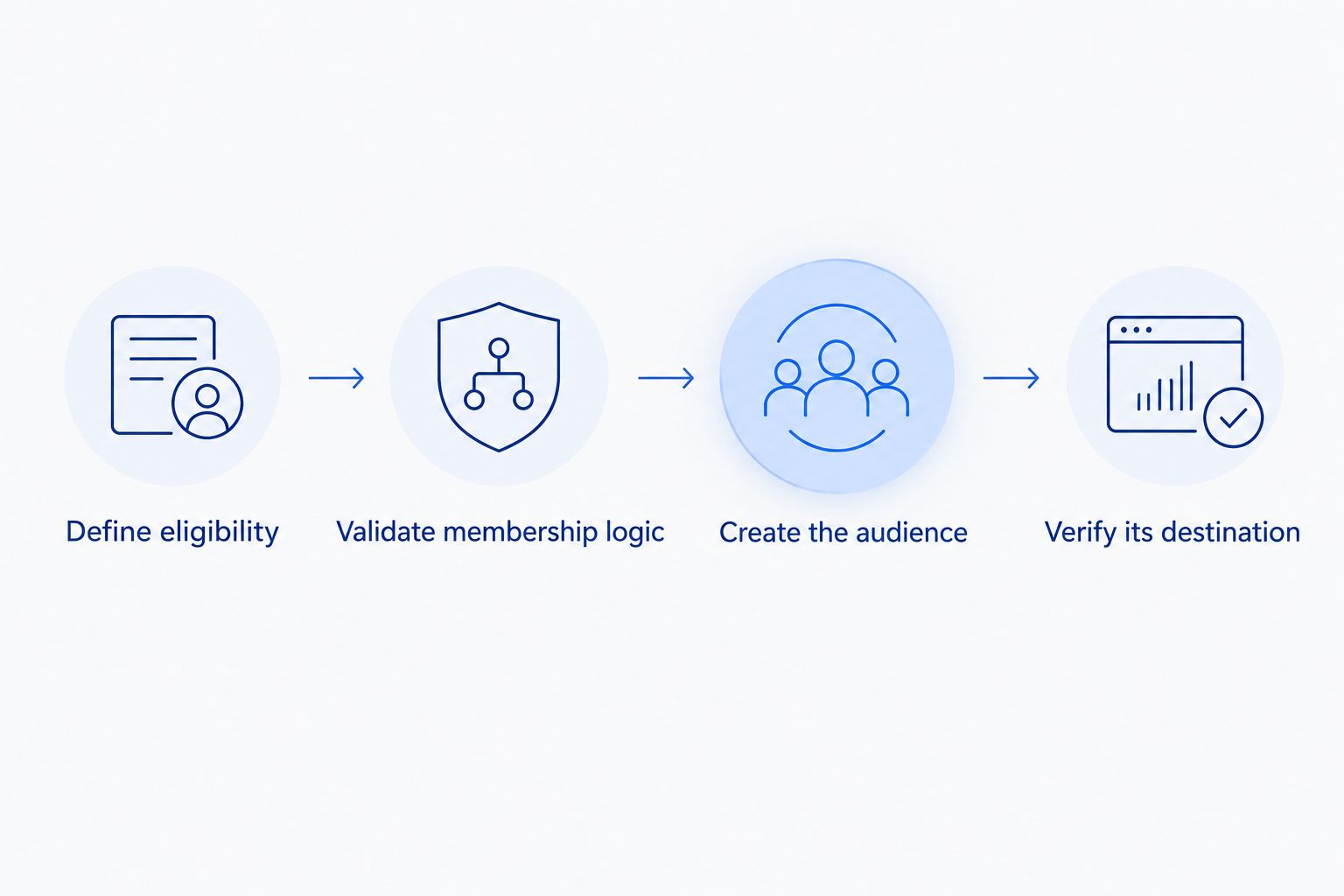
Audience activation configuration
Create the audience and control refreshes
- Open Audiences in AMC. Use the audience creation workflow rather than treating a saved measurement query as an activated audience.
- Enter the audience definition using the supported query workflow. Confirm the audience name and destination advertiser against the written brief before submitting it.
- Review the timing configuration. Where recurring refresh is supported, align the refresh schedule with your campaign’s purpose and data readiness. A recurring query needs rolling date logic; fixed dates keep describing the same historical period.
- Submit the audience for processing. Inspect the resulting status and any validation or processing errors before changing settings elsewhere.
- Verify the audience in the destination DSP advertiser. Confirm its identity, status, and eligibility for the intended campaign setup rather than relying only on an AMC completion message.
- Record the activation details. Keep the query version, destination, submission time, refresh configuration, and responsible owner together.
Expected result: The intended audience is processed and identifiable in the correct DSP advertiser, with a documented refresh process.
Do not confuse audience refresh with reporting refresh. Recalculating membership changes who qualifies under the query; it does not rewrite the campaign’s measurement methodology.
For 2026 operations, assign a named owner to refresh failures. A schedule without monitoring is not a managed workflow, especially when campaign or product identifiers change.
DSP campaign configuration
Apply targeting and establish the test
- Locate the AMC-created audience in Audiences within the destination DSP advertiser. Confirm that you are not selecting an older audience with a similar name.
- Apply the audience to the intended DSP line item. Review other targeting constraints and exclusions together; audience membership does not override geography, inventory, creative, or campaign restrictions.
- Separate the test from existing retargeting activity. Document overlap and exclusions so the same audience is not unintentionally pursued by competing campaign setups.
- Set the campaign controls against your commercial objective. Agree on the budget, frequency approach, conversion definition, and stop condition before launch rather than revising the success criterion after results arrive.
- Confirm delivery after activation. Inspect impressions, spend, audience eligibility, and conversion reporting separately. A selectable audience that produces no impressions needs a delivery diagnosis, not an immediate SQL rewrite.
- Evaluate profitability alongside attributed results. DSP-attributed conversions alone do not establish that the campaign generated additional purchases.
Expected result: A controlled audience test with visible delivery and a documented decision rule for continuing, revising, or stopping.
For the surrounding channel structure, use the Amazon PPC to Amazon DSP retargeting workflow. Audience design should fit the wider retargeting plan, not create another disconnected campaign.
Variant: refresh purchasers into a cross-sell audience
A second workflow starts with qualifying purchasers rather than excluding them. Use it when the next advertised product has a clear relationship to the purchased product, and define the relationship before building membership.
For example, test purchasers of one product family while excluding purchasers of the intended cross-sell family. This requires sufficient eligible purchase signals and precise product mappings; it is not a reason to target every past buyer.
| Audience option | Best for | Advantage | Limitation |
|---|---|---|---|
| Exposed nonbuyers | Re-engaging shoppers after qualifying ad exposure | Connects targeting to a defined prior advertising interaction | Exposure alone does not establish purchase intent |
| Purchaser cross-sell | Introducing a relevant adjacent product | Uses a specific prior purchase as the qualifying behavior | Poor product mapping creates irrelevant targeting |
| Lapsed purchasers | Testing a defined repeat-purchase opportunity | Separates older buyers from recent purchasers | The timing rule requires a defensible purchase-cycle assumption |
For a recurring version, define rolling inclusion and exclusion windows, then verify that each refresh uses the intended boundaries. Review the first refreshed build against the original brief before expanding campaign coverage.
Start with exposed nonbuyers when the question is retargeting effectiveness; use purchaser audiences when the question is repeat or adjacent-product demand. Keep those objectives in separate tests.
Troubleshooting
The audience query fails validation
Check that you used the audience workflow, eligible datasets, supported SQL, and the required output structure. Remove aggregate report columns from the activation output, then inspect the specific validation error rather than simplifying the business rule blindly.
The audience is absent from DSP
Verify the destination advertiser, account relationship, permissions, and processing status. Compare the audience identity across AMC and DSP; do not create duplicate definitions while the original processing issue remains unresolved.
The audience is too restricted to use
Inspect campaign scope, identifier filters, lookback boundaries, and purchase exclusions. Narrow product mappings or multiple intersecting conditions can eliminate the intended population; relax only conditions that the business brief does not require, and never try to bypass privacy protections.
The audience exists but the campaign does not deliver
Review audience eligibility alongside line-item status, creative approval, targeting intersections, bids, budget, and inventory settings. Keep the audience definition unchanged until you establish whether delivery controls, rather than membership logic, caused the problem.
The refreshed audience behaves unexpectedly
Check for fixed dates, changed campaign identifiers, missing source events, and revised product mappings. Compare like-for-like aggregate diagnostics and log the change before editing the query; privacy-suppressed output must not be treated as a confirmed zero.
Customize your workflow
Expand only after the initial audience definition and delivery checks hold. Split by marketplace, product family, or qualifying behavior when each segment supports a distinct campaign decision; unnecessary segmentation creates more queries without improving accountability.
Add a 7-day review checkpoint as an operating choice, not a promised learning period. At that checkpoint, verify processing, refreshes, targeting, and delivery first; assess outcomes against your pre-agreed test design rather than an arbitrary calendar deadline.
Atlisco’s Amazon growth partnerships combine PPC management and listing SEO for established brands. Keep that connection in your 2026 plan: an audience test cannot isolate an advertising problem if the product detail page or catalog state changes unnoticed during the test.
FAQ
How do I move Amazon Marketing Cloud audiences into DSP?
Create an eligible audience definition in AMC, submit it through the audience workflow, and verify it in the connected DSP advertiser. Then apply the audience to the intended DSP line item and check delivery controls separately.
Can I turn any AMC SQL query into a DSP audience?
No. Audience creation requires supported data and the required user-level output; an aggregate measurement report is not an activation query.
Do I need access to both AMC and Amazon DSP?
The workflow needs authorized AMC access and an eligible destination DSP advertiser. An administrator should verify the advertiser relationship and activation permissions before query development starts.
Does an AMC audience update automatically?
Automatic updating depends on configuring a supported recurring refresh. Use rolling date logic and monitor processing; saving a query alone does not establish a refresh process.
Why is my AMC audience not delivering in DSP?
Audience creation and DSP delivery are separate checks. Verify audience eligibility, targeting intersections, line-item status, creative approval, bids, budget, and inventory settings before rewriting the query.
Can I download the shoppers in an AMC audience?
AMC audience activation does not provide a downloadable shopper identity list. Validate membership through permitted aggregate diagnostics and activate through the supported destination workflow.
Is Atlisco an audience-building software product?
No. Atlisco is an Amazon growth partner offering PPC management, listing SEO, and full-service growth partnerships for 7–8 figure e-commerce brands in Germany, the UK, and the US.
One last thing
A purchaser exclusion is only as current as its data and refresh logic. Calling an audience nonbuyers does not make it a real-time suppression list; document the event coverage and refresh behavior before interpreting repeat exposure as a targeting failure.