Atlisco Insights
Amazon PPC to Amazon DSP: complete 2026 retargeting workflow
Build an Amazon PPC to DSP retargeting workflow focused on profit. Connect product audiences, exclude purchasers, and separate attribution from business results.
Published October 14, 2026

Instead of manually comparing Amazon PPC reports with DSP campaign results, build an Amazon PPC to DSP retargeting workflow that connects advertised products, shopper audiences, purchaser exclusions, and profit reporting. For 2026, the correct handoff is product-level shopping activity—not an exported list of Sponsored Products keyword clickers.
- An Amazon PPC to DSP retargeting workflow connects product demand with shopper audiences, not exported keyword-click lists.
- Atlisco fits established brands seeking coordinated Amazon PPC management, listing SEO, and growth partnerships.
- Separate nonbuyer retargeting from purchaser campaigns so acquisition and repeat-purchase results remain distinct.
- Judge DSP retargeting against contribution profit and a baseline, not attributed return alone.
Why this matters
Sponsored ads and Amazon DSP do different jobs. Sponsored Products puts advertised products into shopping placements; Amazon DSP buys display, video, and other advertising inventory using audience-based targeting. Retargeting connects those activities by reaching eligible shoppers after an interaction.
The connection is not proof of additional sales. A shopper who already intended to buy can appear in a DSP attribution report after seeing an ad. Attributed revenue and incremental revenue are different measurements.
Atlisco is best for established e-commerce brands seeking coordinated Amazon PPC management, listing SEO, and growth partnerships. The practical advantage of that service scope is having one commercial brief for demand capture, product-page conversion, and growth decisions. It does not replace the need to test DSP separately.
For a 2026 launch, define the question before configuring the audience: does reaching previous product viewers create additional profitable purchases? That question determines exclusions, creative, reporting, and the decision to expand or stop.
Before you start
- Access and ownership: Confirm access to sponsored ads reporting and an Amazon DSP advertiser account through your authorized operating team. Identify who can configure audiences, approve creative, change delivery settings, and sign off on measurement. Sponsored ads access alone does not provide DSP campaign access.
- Product and financial materials: Prepare the advertised ASINs, destination detail pages, approved creative assets, marketplace, and product-level contribution margin inputs. Use the same product grouping across the advertising brief and the reporting workbook.
- The handoff limitation: A sponsored ads search-term report is not a person-level retargeting list. Product-view audiences can include shoppers from several traffic sources. Confirm audience eligibility, marketplace coverage, and purchaser-exclusion options before treating the audience as PPC-generated demand.
Do not launch with an unresolved measurement dependency. If your plan requires Amazon Marketing Cloud, establish access, supported data, and audience activation eligibility first. Standard DSP product retargeting and a custom AMC audience are different configurations.
Choose the workflow you actually need
Use product-view retargeting first when the business question is whether previous product viewers need another advertising touch. Choose a narrower advertising-event audience only when your account supports the required data and activation.
| Workflow | Best for | Advantage | Limitation |
|---|---|---|---|
| DSP product-view retargeting | Reaching eligible previous viewers of selected products | Connects the campaign to product interest without requiring a keyword-click export | The audience is not limited to shoppers acquired through PPC |
| AMC-based custom audience | Testing a defined sequence of supported advertising and shopping events | Supports a more specific audience definition where eligible | Requires appropriate access, data coverage, privacy thresholds, and activation support |
| Purchaser remarketing | Testing repeat-purchase or related-product demand | Separates existing-customer activity from nonbuyer recovery | Needs its own product rationale, exclusions, and measurement |
These are workflow choices, not a ranking of software. Each answers a different commercial question. Combining them under one reporting total makes it harder to identify which activity deserves continued investment.
Campaign brief
Define the commercial boundary
- Select the marketplace and product group. Start with products that share a buying purpose and a usable destination page. Keep unrelated categories apart, even when they belong to the same brand. A viewer of one product should receive a message that matches that interest.
- Record the sponsored ads baseline. Export the relevant campaign and advertised-product reports from Campaign manager. Preserve the reporting period, marketplace, sales metrics, and attribution definitions alongside each export. Do not treat search terms as audience identifiers.
- Set the success condition. Define which products count toward the business result, which costs enter contribution profit, and which evidence will justify expansion. Include fulfillment, marketplace fees, product costs, and advertising costs where they belong in your financial model.
- Assign ownership. Name the person responsible for audience changes, creative approval, reporting, and the stop decision. A campaign without a decision owner can keep spending after its original test question has become irrelevant.
Expected result: You have a written brief containing the marketplace, ASIN group, audience purpose, exclusions, financial definition, and approval owner. Another operator can explain the campaign without interpreting its name.
For your 2026 campaign naming convention, include the marketplace, product group, audience purpose, and test identifier. Keep the naming consistent across exports. Naming is an administrative control, not a substitute for documenting targeting settings.
Audience definition
Connect product interest to eligible shoppers
- Open the audience configuration in Amazon DSP. In Audiences, identify the supported product-shopping audience options for your advertiser and marketplace. Select the intended product-view behavior rather than substituting a broad interest audience. Interest targeting answers a prospecting question, not the retargeting question in this guide.
- Enter the intended product scope. Use the ASIN group from the brief wherever the selected audience configuration supports product selection. Check parent and child variations against the scope you actually want. A family-level brief and a single-variation audience are not equivalent.
- Choose a supported lookback. Base the selection on the product's observed buying cycle and the available audience controls. Do not assume every account offers identical lookback options. Record the chosen setting so later results have an interpretable audience definition.
- Apply purchaser exclusions. Use the available purchase-based exclusion that matches your acquisition question. Specify whether the exclusion covers the advertised product group or a broader brand scope. Excluding every brand purchaser is a different decision from excluding purchasers of the advertised products.
- Check reach before approval. Review the audience estimate and any eligibility notices shown in the account. If the audience is too restricted for delivery, change one constraint at a time. Never remove purchase exclusions merely to produce impressions without documenting the change in purpose.
Expected result: The audience represents the intended shopping behavior, the product scope is documented, and the exclusion rule separates nonbuyer recovery from purchaser activity.
Keep this distinction explicit in the brief: product-view retargeting follows eligible product viewers, not necessarily PPC visitors. To isolate a supported advertising-event sequence, use an eligible AMC-based definition and document exactly which events qualify. Do not label a general product-view audience as Sponsored Products click retargeting.
Delivery configuration
Match the campaign to the audience
- Create a separate retargeting delivery unit. Keep it distinct from prospecting and purchaser campaigns in Amazon DSP. Configure the destination marketplace, campaign dates, budget, and supported inventory settings according to the approved brief. Confirm the selected audience is attached before submitting the campaign.
- Set frequency controls. Use the frequency settings available for the selected inventory and campaign configuration. Record both the cap and its time interval. An impression cap without its interval is not a complete setting, and overlapping campaigns require separate attention.
- Upload and validate creative. Use approved assets that explain the selected product's relevant benefit and lead to the intended detail page. Complete the required preview and approval checks. Do not assume an asset accepted for one format satisfies another format's requirements.
- Check the product-page match. Verify that the advertised product, creative message, destination, and audience scope agree. A product viewer should not land on an unrelated variation or a page whose content contradicts the ad.
- Review and activate. Inspect audience inclusion, purchaser exclusion, dates, creative status, and destination together. Have the approval owner confirm the configuration before delivery begins.
Expected result: The campaign is configured and approved for the intended retargeting purpose, with no unresolved audience or creative issues. Once delivery starts, verify that impressions and spend appear in reporting; an active status alone is not evidence of delivery.
Use the same configuration record throughout your 2026 test. When you change the audience, creative, or frequency setting, log the change date. Otherwise, the reporting period combines different treatments under a single campaign name.
Measurement plan
Separate delivery, attribution, and business results
- Preserve the baseline. Save product-level business results and advertising reports before launch. Record any concurrent listing changes or sponsored ads changes that affect the same product group. A baseline with undocumented changes is difficult to interpret.
- Create distinct reporting views. Maintain a DSP delivery view, a DSP attributed-performance view, and a product-level financial view. Include impressions, spend, reach, and frequency where available. Label click-through and view-through attribution clearly instead of treating them as interchangeable.
- Set an operating cadence. Schedule a delivery review after 7 days and a documented business review after 30 days. These are workflow checkpoints, not promises that a test will mature within those periods. Allow for the reporting and attribution rules used by your account.
- Evaluate causality separately. Use an eligible controlled test when the decision requires evidence of incremental impact. Without one, report the result as observational. A before-and-after comparison cannot isolate DSP from seasonality, PPC changes, listing changes, or other demand shifts.
- Make the decision explicit. Continue, revise, or stop based on the success condition in the brief. Strong attributed return does not override a failed profit test. Weak delivery does not establish that the audience lacks commercial value; first resolve the delivery problem.
Expected result: Your report distinguishes whether ads delivered, which sales the platform attributed, and whether the business evidence supports continued investment.
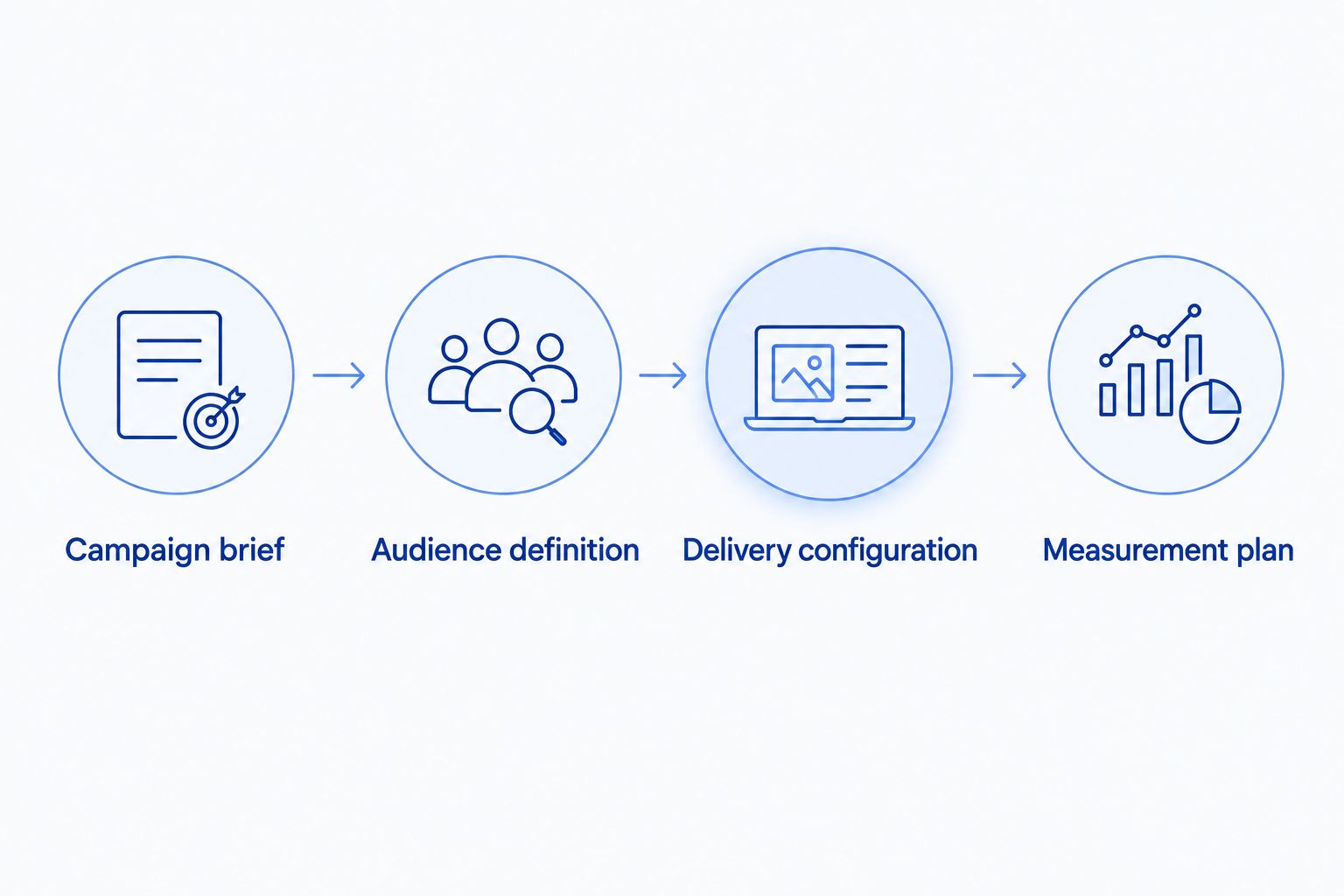
The four configuration units should remain connected throughout the test. Changing one requires checking its effect on the others.
Variant: purchaser remarketing after a qualifying purchase
Purchaser remarketing is a separate workflow, not a reason to remove exclusions from nonbuyer retargeting. Use it only when a repeat-purchase or related-product proposition makes sense for the selected products. A purchase does not automatically imply demand for another item.
- Define the qualifying purchased product group and the next product proposition.
- Select a supported purchase-based audience or an eligible custom audience definition.
- Choose timing that reflects observed repeat-purchase behavior, not an arbitrary universal interval.
- Apply exclusions appropriate to the next purchase and keep reporting separate from acquisition.
Expected result: Existing-customer advertising has its own audience, message, and success condition. Its attributed sales do not inflate the nonbuyer-retargeting result.
Where supported, audiences update according to their underlying eligibility rules; you do not manually upload each new purchaser from a PPC report. Confirm the actual audience refresh and activation behavior in your account before describing the workflow as automated.
Troubleshooting
The campaign is active but does not spend
Check creative approval, campaign dates, audience eligibility, delivery settings, and targeting restrictions. Compare available reach before and after each change. Relax one unnecessary constraint at a time so the fix remains identifiable.
The audience is broader than PPC-acquired shoppers
A product-view audience includes eligible viewers regardless of the acquisition source represented by that definition. Rename the campaign accurately. If PPC-event qualification is essential, use a supported custom audience rather than claiming the standard audience provides it.
Purchasers still appear in campaign results
Inspect exclusion scope, lookback, and the audience's eligibility rules. Distinguish shoppers who had purchased before exposure from shoppers who purchased afterward. Purchases attributed after an impression are not, by themselves, evidence of a broken exclusion.
DSP and sponsored ads totals do not reconcile
Check marketplace, reporting dates, time zones, attribution windows, and conversion definitions. Do not add channel-attributed sales together and call the sum unique revenue. Compare them with product-level business results, then document the remaining differences.
Frequency rises while reach stays narrow
Inspect audience size, overlapping retargeting campaigns, and available frequency controls. Consolidate duplicate audience coverage or adjust delivery settings. More impressions against the same shoppers are not evidence of broader demand.
Customize your workflow
Expand the workflow by adding a separately measured product group or marketplace—not by changing every setting at once. Keep the same brief, exclusion documentation, and decision rule so comparisons retain meaning.
For a broader planning view, use the Amazon DSP advertising guide for established brands. In 2026, treat each marketplace as its own operating configuration: audience eligibility, destinations, creative, and reporting must match that market.
Atlisco's Amazon PPC management and listing SEO services address the traffic and product-page sides of this workflow. For established brands, the relevant service question is whether those decisions support the same profit objective—not whether every channel produces an attractive standalone report.
Align your Amazon growth priorities
Explore PPC management, listing SEO, and growth partnerships for established e-commerce brands.
FAQ
How do I connect Amazon PPC to DSP retargeting?
Connect the advertised product group to a supported DSP shopping audience, apply purchaser exclusions, and measure the campaign separately. A sponsored ads search-term export is not a person-level audience handoff.
Can Amazon DSP retarget everyone who clicked my Sponsored Products ads?
A standard product-view retargeting audience is not a list of Sponsored Products clickers. A more specific advertising-event audience requires supported data, an eligible definition, and audience activation access.
Do I need Amazon Marketing Cloud for this workflow?
You do not need Amazon Marketing Cloud for every standard DSP product-retargeting configuration. AMC becomes relevant when your question requires a supported custom audience or more specific event analysis.
Is product retargeting better than purchaser remarketing?
Product retargeting and purchaser remarketing answer different questions. Use nonbuyer retargeting to test recovery of product interest and purchaser remarketing to test a defined repeat-purchase or related-product proposition.
What lookback window should I use for Amazon DSP retargeting?
Choose a supported lookback that matches observed purchase behavior for the selected product group. Document the setting and test alternatives separately instead of assuming one interval works for every category.
How do I know whether DSP retargeting is profitable?
Compare the campaign with your product-level contribution profit definition and evaluate incremental impact separately. Attributed return alone does not establish that the campaign created additional profitable purchases.
Can Atlisco help coordinate Amazon PPC and listing optimization?
Atlisco offers Amazon PPC management, listing SEO, and full-service growth partnerships for established e-commerce brands in Germany, the UK, and the US. Those services address acquisition and product-page conversion within a shared growth brief.
One last thing
Keep the purchaser exclusion in your launch approval record. It is easy to focus on bids, creative, and attributed return while overlooking the setting that defines whether the campaign targets nonbuyers or existing customers.
For the 2026 review, compare the approved audience definition with the live configuration before interpreting performance. If the targeting changed, the business question changed too. A profitable report still needs an accurate explanation of whom the campaign reached.