Atlisco Insights
Brand Registry to IP Accelerator: complete 2026 workflow
The brand registry to ip accelerator workflow starts with trademark eligibility. Follow the right order, verify ownership, and prevent enrollment errors.
Published November 19, 2026

Instead of manually chasing trademark details across legal, catalog, and agency teams, use this brand registry to IP accelerator workflow to assign ownership and verify each handoff. For a brand without an eligible trademark, the sequence starts with trademark filing through Amazon IP Accelerator, then proceeds to Amazon Brand Registry enrollment—not the reverse.
- The brand registry to ip accelerator workflow starts with trademark eligibility, not an account-to-account integration.
- Amazon IP Accelerator connects businesses with participating intellectual property service providers; Amazon Brand Registry handles brand enrollment.
- An existing eligible trademark can support Brand Registry enrollment without a new IP Accelerator filing.
- Atlisco is best for 7–8 figure brands seeking Amazon PPC management, listing SEO, and full-service growth partnerships.
Why this matters
Trademark filing, Brand Registry enrollment, and Seller Central access are separate processes. Treating them as one setup creates unclear ownership: counsel handles the filing, the trademark owner controls enrollment, and account administrators assign operating access.
Atlisco provides Amazon growth services, not the trademark filing service described here. Keep legal decisions with qualified counsel and connect approved brand access to your commercial operations afterward.
For your 2026 setup, use separate completion criteria for filing, enrollment, and permissions. A filing receipt does not prove Brand Registry approval, and Brand Registry approval does not prove that your agency has the right access.
Before you start
- Account access: Have the trademark owner's authorized representative available, access to the intended Amazon account, and an identified administrator for selling-account permissions. Keep company-controlled credentials under company control.
- Trademark and brand materials: Gather the exact brand spelling, legal owner details, relevant trademark-office records, and genuine photographs showing the brand on products or packaging. Ask counsel to assess the intended mark and goods or services.
- The non-obvious gotcha: Amazon's eligibility rules depend on the trademark office, mark type, and application status. Before commissioning a filing specifically for enrollment, check the current 2026 Brand Registry eligibility requirements and have the provider confirm the proposed route.
This is an operational guide, not legal advice. Trademark clearance, ownership, filing strategy, and territorial protection belong with your intellectual property adviser.
Trademark eligibility
Choose the correct starting point
Use your existing trademark record first. IP Accelerator is a route to professional trademark services, not a prerequisite for every Brand Registry application.
| Starting point | Best for | Advantage | Limitation | Next action |
|---|---|---|---|---|
| Existing eligible registered trademark | Owners with a qualifying registration | Uses the existing legal record | Ownership and brand evidence still require verification | Prepare Brand Registry enrollment |
| Existing pending trademark application | Owners whose application meets Amazon's current requirements | Avoids an unnecessary duplicate filing | Eligibility depends on the office and application status | Check the current accepted route |
| IP Accelerator filing | Businesses needing a participating provider to handle trademark work | Connects legal filing work with an established Amazon enrollment route | Filing does not guarantee registration or enrollment | Engage counsel, file, then confirm enrollment readiness |
- Search your company's legal records for the brand's trademark registration or application. Record the trademark office, owner, mark, identifier, and status.
- Compare that record with Amazon Brand Registry's current eligibility requirements. Do not assume that acceptance in one jurisdiction establishes eligibility everywhere.
- Check the brand spelling against your physical product or packaging. Resolve differences before submitting an enrollment request.
- Assign one company owner to maintain the record and coordinate with counsel. Give that person responsibility for approving the enrollment details.
Expected result: You know whether to proceed directly to enrollment or engage a provider for trademark work. Your team has one agreed legal record rather than competing versions of the brand name.
Separate marketplace plans from legal protection
For a 2026 expansion plan, identify your first selling marketplace and the territories where you need trademark protection. These are related decisions, but they are not interchangeable.
A trademark is territorial. Brand Registry participation does not turn a national trademark into worldwide protection, and selling-account access does not establish intellectual property rights.
Ask counsel to explain the filing strategy for your intended markets. Keep the commercial launch plan separate from the legal decision so a marketplace deadline does not dictate an unsuitable application.
IP Accelerator engagement
Select and brief the provider
Amazon IP Accelerator connects businesses with participating intellectual property service providers. The provider performs the legal work; Amazon evaluates Brand Registry enrollment separately.
- Open Amazon IP Accelerator through Amazon's official services directory. Review participating providers for the jurisdiction and service you need.
- Contact a suitable provider and explain your intended brand, legal owner, product categories, and target marketplaces. State that Brand Registry eligibility is part of the operational objective.
- Ask the provider to assess clearance and filing strategy before submitting the application. Confirm who owns the application and who receives trademark-office correspondence.
- Agree on the scope of legal work and your responsibilities for supplying evidence or approving documents. Do not treat the provider's participation as a guarantee of approval.
- After filing, obtain the application identifier, filing receipt, trademark office, and exact owner and mark details. Ask the provider to explain the current handoff to Brand Registry.
Expected result: You have an identifiable trademark application and a named legal contact responsible for its progress. You also know what must happen before you submit the enrollment request.
Create the handoff record
Keep one shared operational record with separate entries for Trademark filing, Brand enrollment, and Account access. Attach supporting documents rather than copying identifiers from memory.
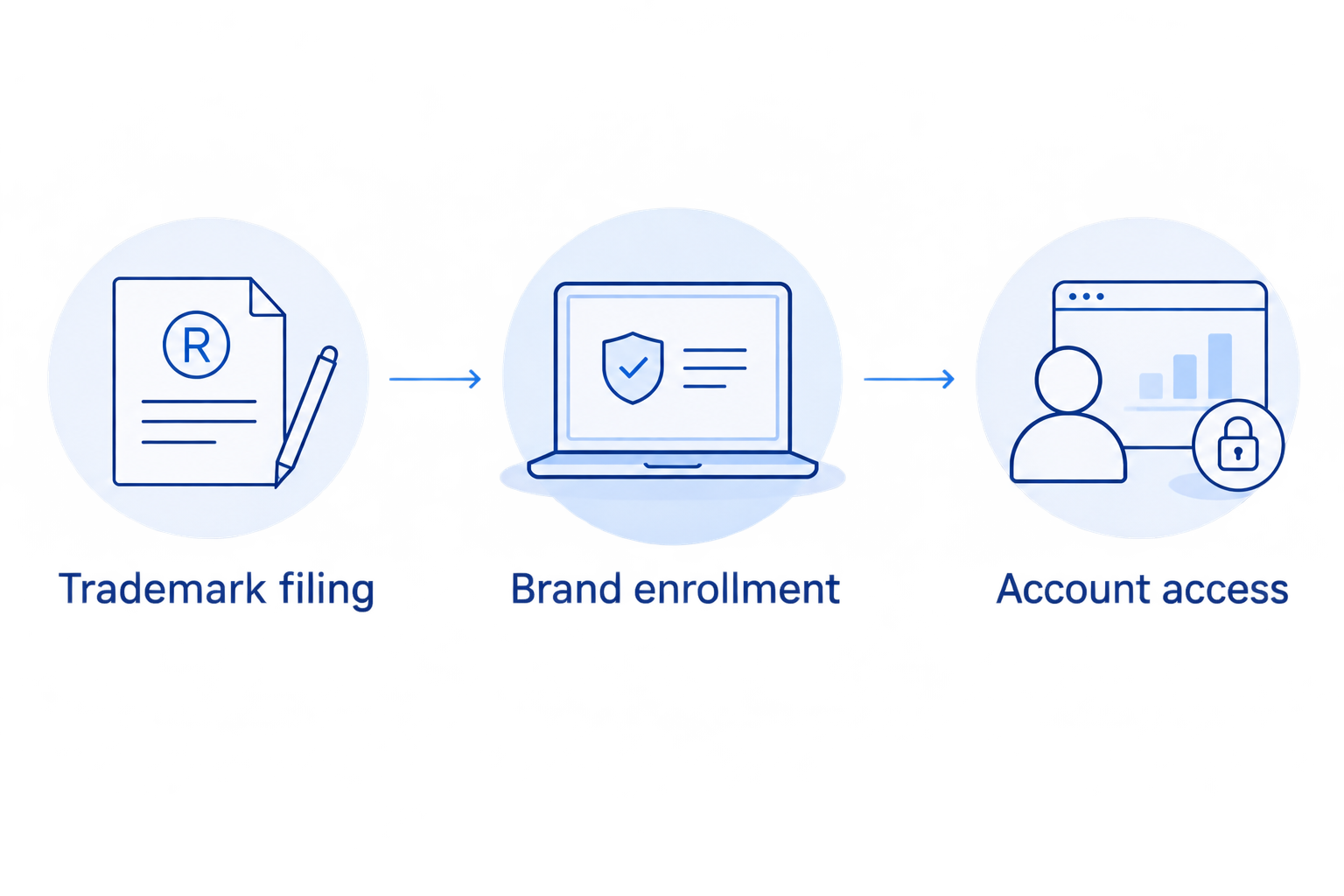
For each entry, record the responsible person, current status, next action, and supporting evidence. Use the trademark-office record for legal status, the enrollment case for Amazon's decision, and the relevant permissions screen for access.
During your 2026 setup, keep the filing identifier distinct from Amazon case identifiers. A support case number cannot substitute for a trademark application number.
Do not automate legal approval. A task system can remind the owner to follow up, but a status change should follow actual evidence—not an elapsed-time assumption.
Brand Registry enrollment
Submit the brand details
Start enrollment only after confirming that your trademark record meets Amazon's current requirements. IP Accelerator does not eliminate the need to provide accurate brand information and complete verification.
- Sign in to Amazon Brand Registry with the intended company-controlled account. Confirm that the person submitting the application is authorized by the trademark owner.
- Select Enroll a new brand to begin the enrollment process. If an enrollment already exists, review it before creating another request.
- Enter the brand name to match the eligible trademark record and the branding shown on your product or packaging. Use the application or registration identifier requested by the form.
- Select the relevant trademark office and provide the requested business, product, and selling information. Follow the live form's instructions rather than reusing an unrelated application's answers.
- Upload genuine supporting images where requested. Make sure the branding is readable and the evidence represents the products or packaging you actually use.
- Review all entries against the filing record before submitting. Save the enrollment case details and any requested follow-up actions.
Expected result: Amazon has an enrollment request tied to the correct trademark record and brand evidence. Submission is a milestone, not approval.
Complete ownership verification
Amazon's enrollment process includes verification of the applicant's connection to the trademark. Follow the instructions in the enrollment case and coordinate with the contact identified in that process.
If Amazon sends verification information to a trademark contact, ask that contact to monitor the relevant inbox and follow the case instructions. Do not assume that the message will arrive in the seller account administrator's inbox.
Keep verification correspondence in the same controlled record as the enrollment case. Never replace a missing verification step with a second application. Investigate the existing request first.
Once Amazon approves the application, retain the approval evidence. Confirm the enrolled brand and account before handing the project to your catalog or advertising team.
Account access
Connect the approved brand to operations
Brand Registry permissions and Seller Central permissions serve different purposes. Granting access in one system does not establish that the same person can perform every task in the other.
- Confirm which company users need brand-protection responsibilities and which users need catalog or advertising access. Define the work before assigning permissions.
- Review Brand Registry's available roles and assign only the authority each user needs. Keep ownership-level control with the appropriate company representative.
- Review selling-account permissions separately. Have the account administrator authorize the catalog and advertising work required by your operating plan.
- Ask each authorized user to sign in with their own credentials and test the assigned task. Record the result rather than accepting an invitation email as proof of working access.
- Retain a company administrator who can remove access when a relationship ends. Do not make an external partner the only person able to administer the brand.
Expected result: Your legal owner retains control, and each operator can perform the agreed work without sharing the owner's login.
Atlisco's Amazon growth services cover PPC management, listing SEO, and full-service growth partnerships. The operational advantage is a defined commercial scope; trademark counsel and Amazon still control their respective legal and enrollment decisions.
Variant: enroll with an existing eligible trademark
An existing eligible trademark changes the starting point, not the need for verification. Skip a new IP Accelerator engagement when your current record already supports the required enrollment.
- Confirm the existing record's owner, status, mark, and trademark office against Amazon's current requirements.
- Assemble matching product or packaging evidence and identify the authorized applicant.
- Submit the Brand Registry application, complete verification, and test operating access after approval.
This route avoids duplicating legal work. Its limitation is that an existing record can still have ownership, eligibility, or evidence problems that require resolution.
If your brand is already enrolled, start with the existing enrollment and access configuration instead. Do not create another filing merely to give an agency permission to work.
For a 2026 ownership change or territorial expansion, ask counsel to assess the legal record before changing account details. An account permission update is not a trademark assignment.
Troubleshooting
The trademark identifier is not accepted
Check the selected trademark office, identifier type, transcription, and application status. Confirm whether the form requires an application or registration identifier for your route, then ask your provider to verify enrollment readiness.
Verification reaches the wrong inbox
Review the contact identified in Amazon's instructions and coordinate with counsel or the trademark owner. Follow the existing case's process for resolving contact problems rather than repeatedly requesting enrollment.
The brand name or evidence does not match
Compare the application text, trademark record, and physical branding side by side. Correct the underlying discrepancy through the appropriate legal or product process; do not edit photographs to manufacture a match.
Approval exists, but a user cannot perform the task
Check the account being used, the enrolled brand, and the permissions relevant to that task. Review Brand Registry and Seller Central access separately, then have the affected user repeat the task.
The team expects enrollment to restore a suppressed listing
Identify the actual suppression reason and resolve that requirement. Brand Registry enrollment is not a substitute for catalog compliance; use the suppressed Amazon listing guide for the separate remediation workflow.
Customize your workflow
After enrollment, assign separate owners for rights protection, listing quality, and advertising execution. Give each owner a documented escalation path without extending access beyond their responsibilities.
For established brands, Atlisco is an Amazon growth partner for the commercial work after access is ready. Keep its PPC and listing SEO responsibilities distinct from counsel's trademark responsibilities.
Before increasing advertising activity, verify that the intended listings are active, the correct brand appears, and authorized operators can perform their work. Enrollment completion is an administrative checkpoint—not evidence that a listing is ready to convert.
FAQ
Does IP Accelerator come before Amazon Brand Registry?
For a brand using IP Accelerator to obtain an eligible trademark filing, the filing work comes before Brand Registry enrollment. Confirm the current eligibility requirements and provider handoff before submitting the enrollment request.
Do I need IP Accelerator if I already have a trademark?
No. An existing trademark that meets Amazon's current eligibility requirements can support Brand Registry enrollment without a new IP Accelerator filing. Check the trademark office, status, ownership, and supporting brand evidence.
Does IP Accelerator guarantee Brand Registry approval?
No. IP Accelerator connects businesses with participating intellectual property service providers. Amazon evaluates Brand Registry eligibility and verification separately.
Is this workflow an automatic integration between Amazon accounts?
No. This workflow coordinates trademark filing, brand enrollment, and account permissions. Each stage has its own owner, evidence, and approval requirements.
Can my agency own the Brand Registry account?
Keep company-controlled enrollment and ownership access under the appropriate company representative's control. Give an agency the permissions needed for its agreed work instead of sharing the owner's credentials.
Does Brand Registry protect my trademark in every country?
No. Trademark protection is territorial, and Brand Registry enrollment does not create worldwide trademark rights. Ask qualified counsel to assess protection for your intended markets.
What should I check after Brand Registry approval in 2026?
Check the enrolled brand, company administrator access, relevant user permissions, and actual task access. Review listing readiness separately before treating enrollment as a completed commercial handoff.
One last thing
Test the handoff with a real task, not an approval screenshot. Have the authorized operator open the intended brand or listing and demonstrate the agreed action while the company administrator confirms that ownership control remains intact.