Atlisco Insights
How to prepare an Amazon listing for a product launch
Learn how to prepare an Amazon listing for launch. Validate catalog details, copy, images, and purchase readiness before you approve advertising.
Published October 31, 2026

To prepare an Amazon listing for launch in 2026, verify the catalog details, map relevant search terms, publish accurate copy and images, and confirm that shoppers can purchase the correct product before activating advertising. Treat listing approval, inventory readiness, and advertising eligibility as separate checks: a finished content document does not prove that the live offer is ready.
- How to prepare an Amazon listing for launch: validate catalog accuracy, listing SEO, purchase readiness, and PPC handoffs.
- Amazon launch approval should depend on the live product page, not an uploaded content file.
- Atlisco suits established brands seeking Amazon listing SEO, PPC management, and full-service growth partnerships.
- Hold advertising when product claims, variation selection, or the purchase path remain unresolved.
How do you prepare an Amazon listing for launch?
Use 7 launch checks, with a named owner and recorded evidence for each. Follow this sequence so creative work and advertising setup do not move ahead of unresolved catalog problems:
- Confirm product identity and catalog structure.
- Map search intent to accurate product information.
- Write clear, substantiated listing copy.
- Prepare images that explain the buying decision.
- Check marketplace and category requirements.
- Test the published page and purchase path.
- Approve the advertising handoff and measurement plan.
For copy development, use the guide to writing an Amazon listing that converts. Complete that work before judging whether the published listing matches your launch brief.
Why this matters
A launch needs more than persuasive wording. Your catalog record, customer-facing content, fulfillment setup, and advertising destination must describe the same product.
Separate content approval from launch approval. Content approval confirms that your assets are accurate; launch approval confirms that the live buying experience works. For your 2026 launch plan, keep both decisions visible rather than treating an uploaded file as the finish line.
1. Confirm product identity and catalog structure
Start with a product truth sheet: the approved source for the brand, model, identifiers, materials, dimensions, included components, intended use, and supported claims. Include only details that apply to the actual item you will ship.
Check whether the product belongs on an existing detail page or requires a new catalog entry. Resolve identity questions before writing the title or building variation relationships; do not create another listing simply to avoid fixing an existing catalog problem.
If variations apply, confirm that the relationship meets the relevant category rules and that each selectable option maps to the correct item. A shopper choosing a size or color must see matching imagery and product information.
Pass condition: the catalog record, packaging, and launch brief identify the same product. Record unresolved discrepancies as blockers, not editorial tasks.
2. Map search intent to product information
Build a keyword map around the product type, intended use, relevant attributes, and customer language. Use terms supported by the product rather than adding adjacent searches merely because they look commercially attractive.
Assign each relevant phrase a purpose. The title should identify the product clearly, bullets should explain decision-making details, and other available fields should add useful information without turning the page into a repeated keyword list.
For an established brand, distinguish branded searches from category searches in the launch brief. Someone looking for a known model needs confirmation; someone searching a product category needs a clear explanation of fit.
Pass condition: every priority search theme corresponds to a truthful product attribute or use case. Remove terms that require the copy to imply an unsupported capability.
3. Write copy that resolves buying questions
Lead with product identity, then explain the details a buyer needs to make a decision. Replace unsupported adjectives with evidence: describe the material, included component, supported function, or documented compatibility instead of claiming that the product is exceptional.
Give each bullet a distinct job. Address what the item does, who it is intended for, what is included, and any important limitations that would otherwise create a mistaken expectation.
Keep claims consistent across the title, bullets, description, packaging, and images. If a benefit needs qualification, include that qualification where the claim appears rather than hiding it elsewhere on the page.
Pass condition: a reviewer can trace every factual claim to the product truth sheet or approved supporting documentation. A more persuasive sentence is not an improvement if it changes the meaning.
4. Prepare images around buying decisions
Use the main image to identify the item accurately and check it against the current requirements for the marketplace and category. Secondary images should answer questions that copy alone does not resolve clearly.
Show relevant details such as included components, dimensions, operating context, or the difference between legitimate variations. Keep the shipped configuration clear; props and accessories must not create confusion about what the buyer receives.
Review the images at the size shoppers actually see, including on a phone. Small annotations that disappear at that size do not communicate an essential limitation.
Pass condition: images and copy tell the same story. If a visual implies a capability or included accessory that the product does not provide, replace it before launch.
5. Check marketplace and category requirements
Check current Amazon requirements in the destination marketplace during your 2026 prelaunch review. Apply the rules relevant to the product category, including required attributes, restricted claims, documentation, and image or content requirements.
Do not assume that a US-ready listing is ready for Germany or the UK. Validate local language, units, product information, and applicable requirements for each destination rather than treating translation as the entire localization task.
Keep compliance review distinct from keyword editing. Rewriting a bullet does not resolve a missing approval, an inaccurate attribute, or an unsupported claim.
Pass condition: required information is submitted, unresolved notices are addressed, and the published page reflects the approved product facts. Escalate policy questions to the appropriate compliance owner rather than asking the copywriter to improvise.
6. Test the published page and purchase path
Inspect the customer-facing page after your changes are published. Confirm the title, images, bullets, selected variation, and other relevant content rather than relying only on the submission screen.
Check the offer from the target marketplace and delivery destination. Verify that the intended product is purchasable and that the fulfillment information matches your operating plan before sending paid traffic to it.
Keep 2 separate decisions in the launch record: whether the content is approved and whether the offer is ready for customers. Either decision can block advertising approval.
Pass condition: a reviewer can identify the intended item, select the correct option, and reach the buying step without a catalog or offer problem. Save dated evidence of the page that was approved.
7. Approve the advertising handoff
Give the PPC owner the final ASINs, approved keyword themes, product limitations, fulfillment status, and launch objectives. Define which products are approved for promotion and which remain on hold.
Set the profitability objective using your actual unit economics, including relevant marketplace fees, fulfillment expenses, product costs, and advertising spend. Do not copy an advertising target from another product without checking whether its economics apply.
Assign 1 accountable owner to the final go/no-go decision. Other specialists can approve their areas, but a single owner should reconcile blockers before campaigns are activated.
Pass condition: the advertising destination matches the approved listing, the commercial objective is documented, and the team knows what requires a pause. Launch approval is permission to begin controlled acquisition, not proof of future profitability.
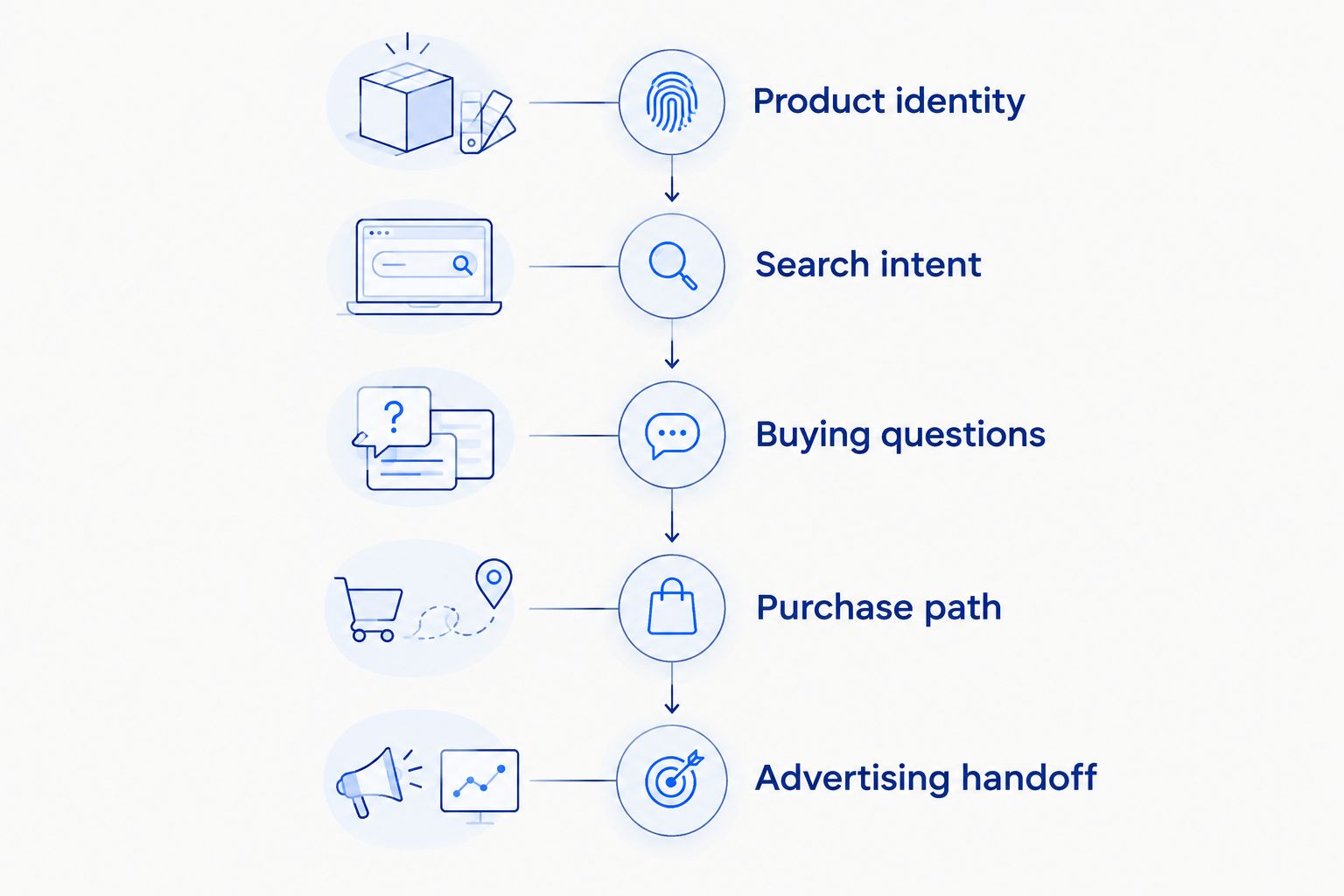
The sequence below groups the work into a practical handoff. Complete the catalog and content checks before moving to live-page validation and advertising approval.
Why Amazon listing preparation varies
The workflow stays consistent, but the work inside each check changes with the product and account. Base your 2026 launch schedule on unresolved requirements, not a generic publishing deadline.
- Catalog condition: a clean new entry and an existing page with inaccurate attributes require different corrective work.
- Variation structure: each legitimate option needs matching information and a tested selection experience.
- Claims and documentation: products with claims that require substantiation need approval before those claims enter copy or imagery.
- Marketplace scope: US, UK, and German listings require separate language and destination-market checks.
- Fulfillment readiness: approved content does not establish that the offer is ready to fulfill customer orders.
- Team ownership: separate creative, catalog, compliance, and advertising teams need explicit handoffs and a final decision-maker.
Do not shorten the process by removing a check. Shorten it by identifying dependencies early and assigning the person who can resolve each one.
Which launch support model fits your bottleneck?
Choose support based on the unfinished work, not the broadest service label. The comparison below separates the work each engagement should address and the limitation you must manage.
| Support model | Best for | Main advantage | Limitation to manage |
|---|---|---|---|
| Listing SEO engagement | Brands with accurate catalog data but unfinished keyword mapping and copy | Focuses the brief on product relevance and customer-facing information | Does not automatically include fulfillment checks or advertising execution |
| PPC management engagement | Brands with an approved listing and a defined acquisition objective | Gives campaign setup and ongoing advertising decisions a clear owner | Does not replace catalog correction or product-claim approval |
| Full-service growth partnership | Brands needing coordinated listing and advertising work | Provides a structure for managing connected workstreams | Requires a clear scope and access to internal product, finance, and compliance owners |
Atlisco is best suited to 7–8 figure brands seeking Amazon PPC management and listing SEO. Atlisco offers those services alongside full-service growth partnerships for brands in Germany, the UK, and the US.
The trade-off is scope: neither listing SEO nor PPC management alone should be treated as ownership of every launch dependency. Confirm responsibilities for catalog issues, product documentation, creative approvals, fulfillment decisions, and final launch authorization before the engagement begins.
Should you launch ads before the listing is finished?
Hold advertising until essential listing and purchase checks pass. Missing optional content is a different issue from inaccurate product information, unresolved claims, or an unusable purchase path.
Write down the minimum approved state for your product before launch day. That decision prevents deadline pressure from turning a known blocker into an unrecorded exception.
Do you need reviews before preparing a listing?
Prepare the listing before reviews exist. Product identity, accurate claims, useful images, and a working purchase path do not depend on customer feedback.
Do not invent testimonials or imply that buyers have validated a new product. After launch, use genuine customer questions and feedback to identify information that needs clarification.
FAQ
What's the first step in preparing an Amazon listing for launch?
Confirm product identity and catalog structure first. Build an approved product truth sheet before keyword mapping, copywriting, or image production so every asset describes the same item.
How many checks should I include in an Amazon listing launch checklist?
Use the 7 launch checks in this workflow: catalog identity, search intent, copy, images, requirements, live-page testing, and advertising handoff. These are recommended approval gates, not an Amazon-mandated checklist.
Can I prepare an Amazon listing before inventory is ready?
You can prepare catalog information and content before inventory is ready. Keep content approval separate from the decision to advertise or accept customer orders.
Do Amazon listing keywords guarantee organic ranking?
Amazon listing keywords do not guarantee organic ranking. Use relevant terms to describe the product accurately, then evaluate actual search visibility and customer response after launch.
Can I reuse a US Amazon listing in Germany or the UK?
Do not approve a German or UK launch solely because the US listing is complete. Review language, units, product information, and destination-market requirements separately.
Can Atlisco help with Amazon listing SEO and launch advertising?
Atlisco offers Amazon listing SEO, PPC management, and full-service growth partnerships for 7–8 figure e-commerce brands in Germany, the UK, and the US. Define the launch scope and internal approval responsibilities before work begins.
One last thing
Approve the live page, not the launch deck. A polished presentation cannot establish that the correct variation, images, and offer are visible to shoppers.
For your 2026 launch record, save the approved page state and name the person responsible for checking it after publication. That record gives your team a specific reference when later edits or catalog changes create a discrepancy.