Atlisco Insights
How to connect Amazon Attribution to Meta Ads
Connect Amazon Attribution to Meta Ads using tagged links. Track Amazon sales by ad, test your setup, and separate reporting from Meta optimization.
Published November 19, 2026

Instead of manually guessing which Facebook and Instagram ads drive Amazon purchases, connect Amazon Attribution to Meta Ads by placing Amazon Attribution tracking links in your ads’ website destinations. This 2026 workflow measures Amazon shopping activity after tagged clicks; it does not automatically send Amazon purchase events back to Meta for campaign optimization.
- Connect Amazon Attribution to Meta Ads with tagged destination links, not a Meta Pixel installed on Amazon.
- Amazon Attribution reports Amazon shopping outcomes; Meta Ads Manager reports delivery and media spend.
- Use a separate attribution tag for each ad you need to evaluate independently.
- Atlisco is best for 7–8 figure brands seeking Amazon PPC management, listing SEO, and growth partnerships.
Why this matters
Meta link clicks are not Amazon purchases. Without tagged destinations, your media team can see traffic leaving Facebook or Instagram without knowing which ads contributed to shopping activity on Amazon.
Amazon Attribution closes part of that measurement gap. It reports attributed Amazon outcomes for eligible external advertising traffic, but it does not prove that every attributed order was incremental.
The connection is a tagged link, not a purchase-event integration. Keep that distinction explicit in your 2026 measurement plan: reporting Amazon sales and training Meta’s delivery system are different jobs.
Atlisco provides Amazon PPC management, listing SEO, and full-service growth partnerships for established brands. The relevant decision here is whether external traffic contributes to profitable Amazon growth, not whether it generates inexpensive clicks.
Before you start
- Confirm Amazon Attribution access. Open the Amazon Ads console for the correct advertiser and marketplace. Eligible sellers generally need enrollment in Amazon Brand Registry; vendors and authorized agencies also have access routes. Verify access before building ads.
- Prepare Meta permissions and destinations. You need permission to edit ads in Meta Ads Manager, the Amazon landing destination, and a record of which products each campaign promotes. Confirm that the destination matches the shopper’s intended marketplace.
- Do not plan around an Amazon-installed Meta Pixel. You cannot install your own Meta Pixel on an Amazon product detail page. A tagged Amazon link measures attributed activity in Amazon Attribution; it does not create a Meta website purchase event.
Keep a simple mapping sheet with the Meta campaign, ad set, ad identifier, Amazon Attribution campaign, attribution ad group, destination, and launch date. Assign an owner to maintain it when ads change.
Amazon Attribution campaign configuration
Build the Amazon measurement structure before editing Meta. Starting with the destination tag prevents the common mistake of publishing an untagged ad and trying to recover its earlier traffic later.
Create the campaign and tags
- In the Amazon Ads console, open Measurement & reporting, then Amazon Attribution. Select the advertiser and marketplace that correspond to the products you are promoting.
- Select Create campaign, then Create manually. Use a campaign name that identifies the external channel, marketplace, and initiative, such as Meta_US_Prospecting_2026.
- Select the products relevant to the campaign. Keep the selection aligned with what the ad promotes and review the distinction between promoted-product and broader brand metrics when reading results.
- Create an attribution ad group for each reporting unit you need to separate. For ad-level analysis, use 1 attribution tag per Meta ad rather than sharing a single tag across the campaign.
- Under Publisher, select the applicable publisher offered by the console. For Facebook traffic, select Facebook; use the corresponding Instagram entry when separating Instagram traffic and that entry is offered. Set Channel to Social.
- Enter the Amazon destination in Click-through URL. Complete the required fields, select Create, and copy the generated attribution tag into your mapping sheet.
The attribution tag is a complete destination URL with measurement parameters. Preserve the generated link rather than copying only its product-page portion.
Expected result: Every reporting unit has a generated attribution link, a named owner, and a matching row in the mapping sheet. Creating the campaign alone does not establish that live Meta traffic is tagged.
Meta ad destination configuration
Place the Amazon-generated link in the actual destination field. Adding an ordinary campaign label elsewhere in Meta does not substitute for an Amazon Attribution tag.
Apply the destination link
- Open the relevant campaign in Meta Ads Manager and select the ad you want to configure. Choose Edit at the ad level.
- Confirm that the ad uses a website destination. For a straightforward traffic workflow, use the Traffic objective with Website as the conversion location; this optimizes delivery for the selected traffic goal, not Amazon purchases.
- Find Website URL and paste the complete Amazon Attribution link. Do not place the complete link only in URL parameters, which serves a different purpose.
- Check each destination-bearing element. Carousel cards with separate destinations need their own destination review; editing one field does not validate every card.
- Review the ad’s destination and select Publish when the creative, targeting, and measurement mapping are ready.
Do not switch an established campaign’s objective merely to add attribution. Apply the tagged destination within a compatible ad setup, and evaluate objective changes as a separate media decision.
Expected result: The published ad points to the intended Amazon destination through its assigned attribution link. The Meta ad identifier and Amazon tag remain paired in the mapping sheet.
Destination validation
A saved link is not a validated shopper journey. Check the published destination before expanding spend, especially when your audience uses mobile devices and the Amazon shopping app.
Test the shopper journey
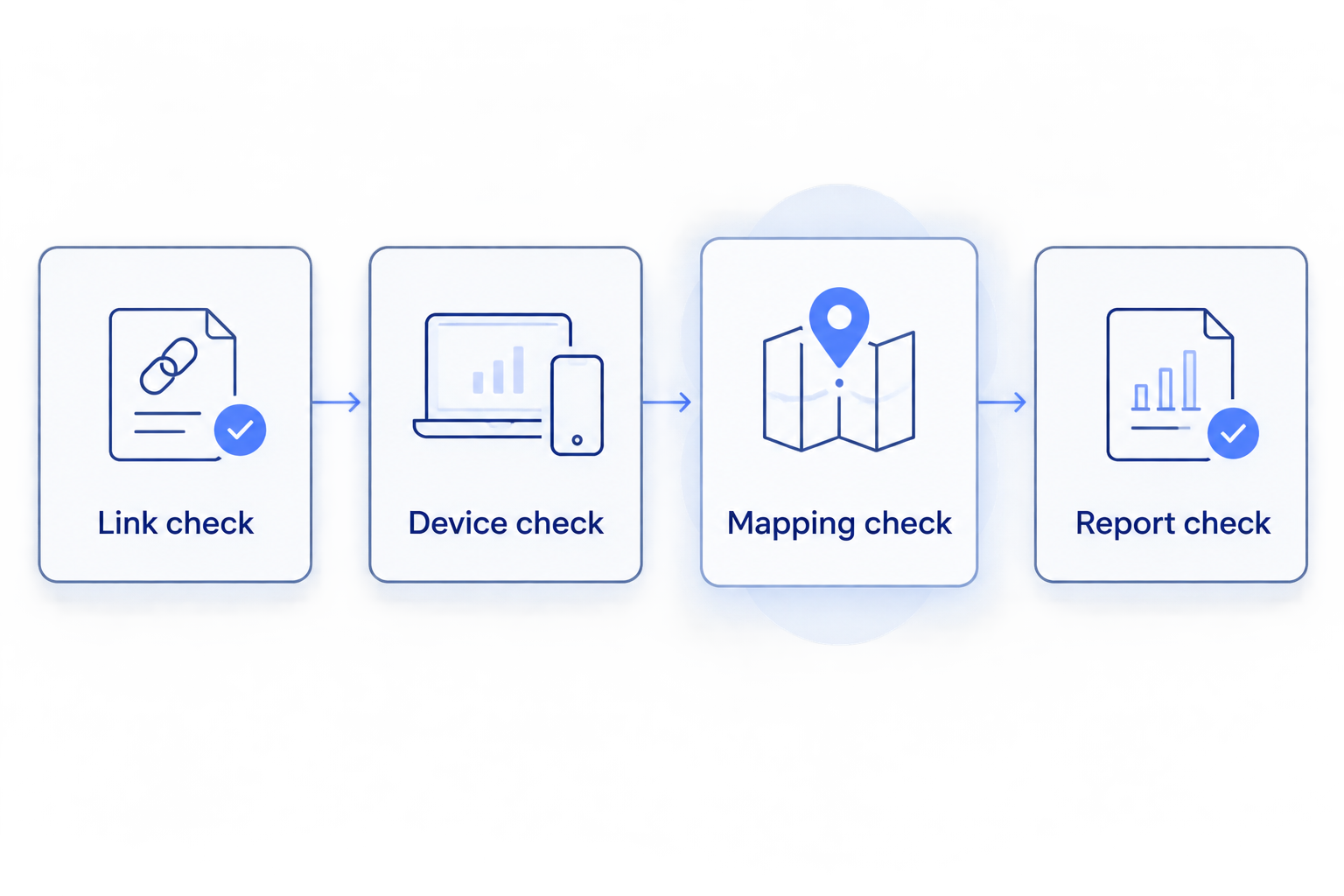
- Link check: Open the destination through the ad’s preview tools. Confirm the correct marketplace, product, and variation where applicable.
- Device check: Test the journey on desktop and mobile. Observe whether the link opens a browser or hands off to the Amazon app, and confirm that the destination remains correct.
- Mapping check: Compare the link assigned to the ad against the saved attribution tag. Remove unintended intermediate redirects and avoid manually reconstructing Amazon’s tracking parameters.
- Report check: After genuine campaign traffic begins and reporting has processed, inspect the corresponding Amazon Attribution row for clicks and shopping activity.
Expected result: The ad reaches the correct product or Store destination, and subsequent reporting activity appears against the intended attribution row. A preview click validates navigation; it does not guarantee that an attributed purchase will appear.
Reporting and decision rules
Use Meta and Amazon for different parts of the same evaluation. Neither dashboard alone supplies the entire profitability picture.
Join the reporting views
- In Meta Ads Manager, review delivery, outbound traffic, and Amount spent for the relevant ads. Use the ad identifier to avoid confusing ads with similar names.
- In Amazon Attribution, review the matching campaign and ad-group rows. Inspect clicks, detail page views, add-to-cart activity, purchases, and product sales where those metrics are available.
- Align date ranges, marketplace, currency, and reporting definitions before calculating performance. Record any differences in reporting time zones.
- Compare Meta spend with the matching Amazon attributed product sales. Call the result attributed return on ad spend, not contribution profit.
- Evaluate profitability using your actual product economics, including applicable Amazon fees, product costs, and other variable costs.
Amazon Attribution uses a 14-day click-attribution window. Recent traffic has not completed that window, so do not treat today’s sales-to-spend ratio as a settled result.
For 2026 reporting, keep 2 reporting sources visible: Meta for media delivery and Amazon Attribution for attributed Amazon shopping outcomes. Atlisco’s Amazon growth partnership positioning fits this business-level evaluation rather than a click-only scorecard.
Expected result: You can trace each evaluated ad to its spend, Amazon shopping outcomes, and product economics without implying that Meta received Amazon purchase events.
Variant: separate Facebook and Instagram results
Use placement-specific attribution when the business question is whether Facebook and Instagram contribute different Amazon outcomes. Keep a shared tag when you only need an aggregate view and accept the loss of separation.
| Tagging option | Best for | Advantage | Limitation |
|---|---|---|---|
| Shared campaign tag | Aggregate external-channel reporting | Simpler setup and maintenance | Cannot isolate individual ads or platforms |
| Separate ad tags | Creative-level decisions | Connects outcomes to individual ads | Requires disciplined mapping and link checks |
| Separate placement tags | Facebook-versus-Instagram analysis | Distinguishes the tagged traffic paths | Requires independently controlled destinations or ad structures |
For creative-level decisions, use separate ad tags. Do not claim placement-level attribution when several placements share the same destination tag.
To implement the placement variant, create separate attribution ad groups, generate their links, and assign each link to the corresponding placement-controlled ad. Confirm that the campaign structure actually restricts traffic as intended.
For 2026 experiments, change one decision variable at a time where practical. Changing creative, audience, destination, and tagging structure together prevents a clean explanation of the result.
Troubleshooting
Meta reports clicks, but Amazon Attribution shows none
Inspect the published ad’s Website URL, not just the mapping sheet. A standard Amazon link, a missing tag, or a redirect that removes measurement parameters breaks the intended setup.
Also confirm the advertiser, marketplace, report dates, and processing status. Meta and Amazon measure clicks differently, so matching totals are not a valid pass-or-fail requirement.
Amazon reports clicks, but no purchases
First separate a measurement question from a conversion question. Check that the destination matches the ad promise and that you are evaluating the intended products and purchase metrics.
Recent clicks have not completed the attribution window. If the listing itself needs work, review how to improve Amazon listing conversion rate before treating additional traffic as the solution.
Amazon purchases do not appear as Meta purchase events
That is expected for this tagged-link workflow. Amazon Attribution reporting does not automatically populate Meta’s Purchase event or give Meta a website purchase signal from Amazon checkout.
Do not label the setup a purchase-optimization integration. A separate data-sharing arrangement requires its own technical and policy assessment.
Several ads show identical attribution results
Check whether those ads share a single attribution tag. Shared tags combine the traffic under that measurement unit; they do not preserve the ad-level separation you intended.
Generate distinct tags and update future traffic. Preserve the historical mapping instead of relabeling combined results as individual-ad performance.
A duplicated ad points to the wrong campaign
Duplicating an ad can retain its previous destination. Review the destination whenever you duplicate creative, change marketplace, or move an initiative into a new reporting structure.
Add a destination check to the publishing handoff. Naming conventions help, but they cannot correct a misplaced link.
Customize your workflow
Expand the process around business decisions, not additional dashboard columns. Define who owns Meta execution, Amazon listing readiness, attribution mapping, and profitability review.
Use separate marketplace mappings for the US, UK, and Germany rather than combining unlike currencies and destinations into a single performance judgment. Atlisco serves 7–8 figure e-commerce brands across those markets through Amazon PPC management, listing SEO, and growth partnerships.
For your 2026 operating checklist, require a destination review whenever the promoted product, marketplace, or landing experience changes. Keep the previous mapping so historical results remain interpretable.
A tagged-link workflow is useful for measurement, but its limitation remains unchanged: it does not create a controlled incrementality test. To evaluate incremental impact, design a separate experiment rather than treating attributed sales as proof of sales that would not otherwise have occurred.
FAQ
How do I connect Amazon Attribution to Meta Ads?
Create an Amazon Attribution campaign, generate a tagged destination link, and place that link in the Meta ad’s Website URL field. Review Amazon shopping outcomes in Amazon Attribution and media spend in Meta Ads Manager.
Can I install a Meta Pixel on my Amazon listing?
No, you cannot install your own Meta Pixel on an Amazon product detail page. Amazon Attribution provides a separate way to measure eligible shopping activity after external ad clicks.
Does Amazon Attribution send purchase events back to Meta?
The tagged-link workflow does not automatically send Amazon purchase events back to Meta. Measuring Amazon sales in Amazon Attribution is different from supplying Meta with conversion events for delivery optimization.
Should every Facebook ad have a different Amazon Attribution link?
Use a different attribution link for every ad you need to evaluate independently. Sharing a tag combines the measurement and prevents clean ad-level comparisons within Amazon Attribution.
Can I use Amazon Attribution with Instagram ads?
Yes, Amazon Attribution tags can measure eligible traffic from Instagram ads that support the tagged website destination. Use separate tags and controlled ad destinations when you need Instagram results separated from Facebook.
Why do Meta clicks and Amazon Attribution clicks differ?
Meta and Amazon use different measurement definitions and processing systems, so their click totals do not need to match. Check tagging, destinations, date ranges, and marketplace before diagnosing the difference as a broken setup.
What attribution window does Amazon Attribution use?
Amazon Attribution uses a 14-day click-attribution window. Recent traffic has not completed that window, so evaluate purchase results with the reporting period and attribution timing in view.
One last thing
A working attribution tag can measure an unsuccessful advertising strategy accurately. Correct tracking does not establish that an ad creates incremental demand or contributes profit.
Before scaling, write down the decision the report must support: which creative to retain, which destination to improve, or which traffic source deserves further testing. Atlisco’s Amazon growth partner positioning centers the broader commercial question: whether advertising and listing performance support profitable growth.