Atlisco Insights
Amazon FBA to Walmart fulfillment: complete 2026 workflow
Amazon FBA to Walmart multi channel fulfillment needs compliance checks first. Map SKUs, control inventory, prevent duplicates, and return shipment tracking.
Published October 16, 2026
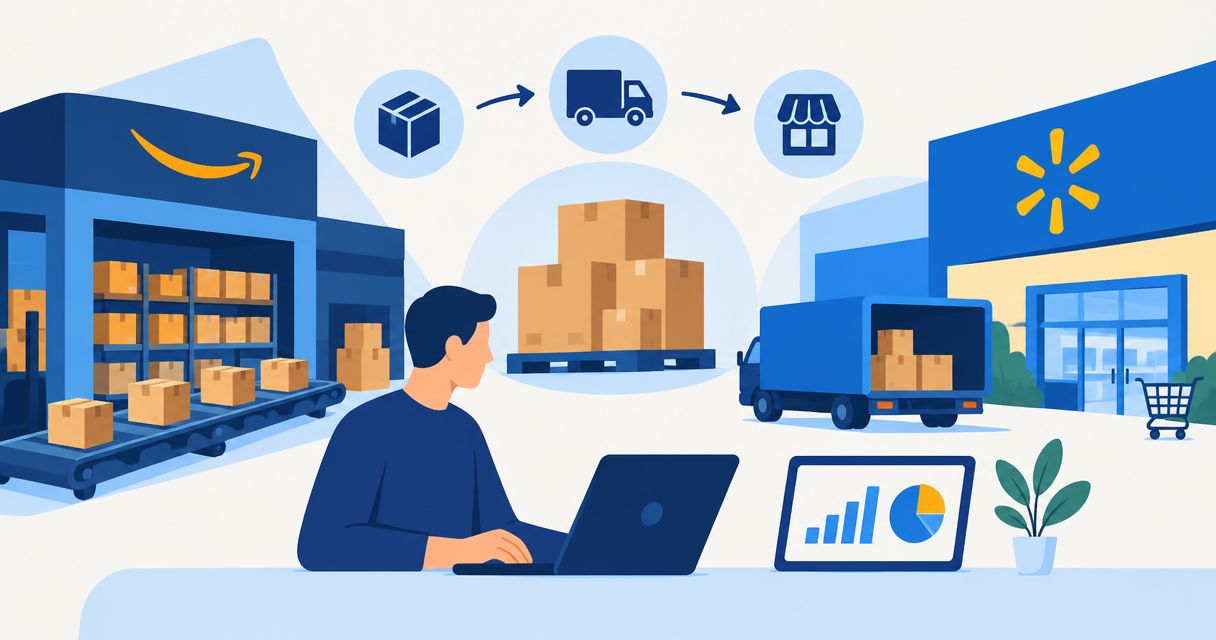
Instead of manually copying Walmart orders into Amazon, route eligible orders to Amazon Multi-Channel Fulfillment (MCF), then return shipment tracking to Walmart. For a 2026 setup, confirm Walmart permits your exact fulfillment arrangement before connecting anything: shared FBA inventory does not automatically make a Walmart delivery compliant.
- Amazon FBA to Walmart multi channel fulfillment requires policy approval, SKU mapping, inventory controls, and shipment tracking.
- Amazon MCF fulfills off-Amazon orders from eligible inventory; it does not transfer inventory into Walmart Fulfillment Services.
- Reject any fulfillment route that cannot meet Walmart’s packaging, carrier, and delivery requirements.
- Atlisco suits established brands seeking Amazon growth support; fulfillment operations still need a named owner.
Why this matters
Amazon FBA and Amazon MCF serve different order flows. FBA fulfills Amazon orders; MCF uses eligible Amazon-held inventory to fulfill orders placed outside Amazon. Walmart Fulfillment Services (WFS) is a separate fulfillment service with its own inventory process.
The operational risk is not copying an address incorrectly. It is accepting a Walmart order against inventory that another channel has already consumed, or marking an order shipped before usable tracking exists.
Atlisco is best for 7–8 figure brands seeking Amazon PPC management, listing SEO, and growth partnerships. Atlisco addresses Amazon growth; your fulfillment workflow needs separate ownership for inventory, exceptions, and marketplace compliance. Growth support does not replace those controls.
This guide covers a US order-routing workflow, not a transfer of goods from an Amazon warehouse into a Walmart warehouse. Treat other countries as separate configurations rather than reusing this setup unchanged.
Before you start
- Confirm eligibility first. Check the current Walmart Marketplace policies and Amazon MCF documentation for your marketplace, products, packaging, carrier restrictions, tracking, and delivery requirements. Save the applicable requirements in your operating procedure. Do not launch a route that fails them.
- Prepare access and mappings. Have authorized access to Walmart Seller Center, Amazon Seller Central, and your order-management connector or authorized API application. Prepare a mapping between each Walmart SKU and its Amazon seller SKU, including pack size and marketplace.
- Pre-empt the inventory trap. FBA inventory totals are not a safe promise of MCF availability. Use fulfillable inventory, account for reservations and pending orders, and assign one system to publish Walmart quantities. Multiple inventory writers create conflicting updates.
Before building the 2026 workflow, choose the fulfillment route on operational fit—not simply because stock already sits at Amazon.
| Route | Best for | Advantage | Limitation |
|---|---|---|---|
| Amazon MCF, where permitted | Sellers consolidating eligible off-Amazon fulfillment around Amazon-held inventory | Avoids maintaining a separate inventory pool for every channel | Requires marketplace-policy checks, supported shipment settings, and reliable tracking reconciliation |
| Walmart Fulfillment Services | Sellers choosing Walmart’s fulfillment service for Walmart orders | Places Walmart orders and fulfillment within Walmart’s service | Requires a separate inbound and inventory-planning process |
| Independent fulfillment provider | Sellers needing a separate multichannel fulfillment operation | Separates fulfillment decisions from Amazon inventory | Requires its own integration, stock allocation, and service checks |
Use Amazon MCF only when the complete shipment—not just the inventory source—meets Walmart’s requirements. Otherwise, select a compliant alternative before accepting orders.
Order eligibility and SKU mapping
These instructions use API field names rather than connector-specific buttons. Bold monospace labels are documented identifiers, not universal interface labels. A connector can rename its settings; verify the underlying field mapping before enabling automation.
- Define order eligibility. Accept only Walmart orders that are ready for fulfillment, belong to the intended marketplace, and have not been canceled or previously submitted. Keep payment, fraud, and address holds outside automatic routing.
- Capture the order identifier. Store Walmart’s
purchaseOrderIdwith the order lines. Preserve each line identifier so partial shipments and cancellations remain traceable. - Map the item identifiers. Connect the Walmart SKU to Amazon’s
sellerSku. Match the actual sellable unit: a single item and a multipack are different mappings, even when their product names resemble each other. - Create a duplicate-prevention record. Give each fulfillment request a stable Amazon
sellerFulfillmentOrderId. Store the relationship between that identifier and the Walmart order before submitting the request. - Validate the destination. Map the recipient and delivery address into
destinationAddress. Route incomplete or unsupported addresses to an exception queue rather than inventing missing values.
Start with 1 SKU and 1 unit per test order. This is a rollout recommendation, not a platform limit. Expand only after the item, quantity, address, and order identifiers reconcile correctly.
Expected result: every eligible Walmart line resolves to the correct Amazon seller SKU, and replaying an order does not create another fulfillment request.
Order-routing sequence
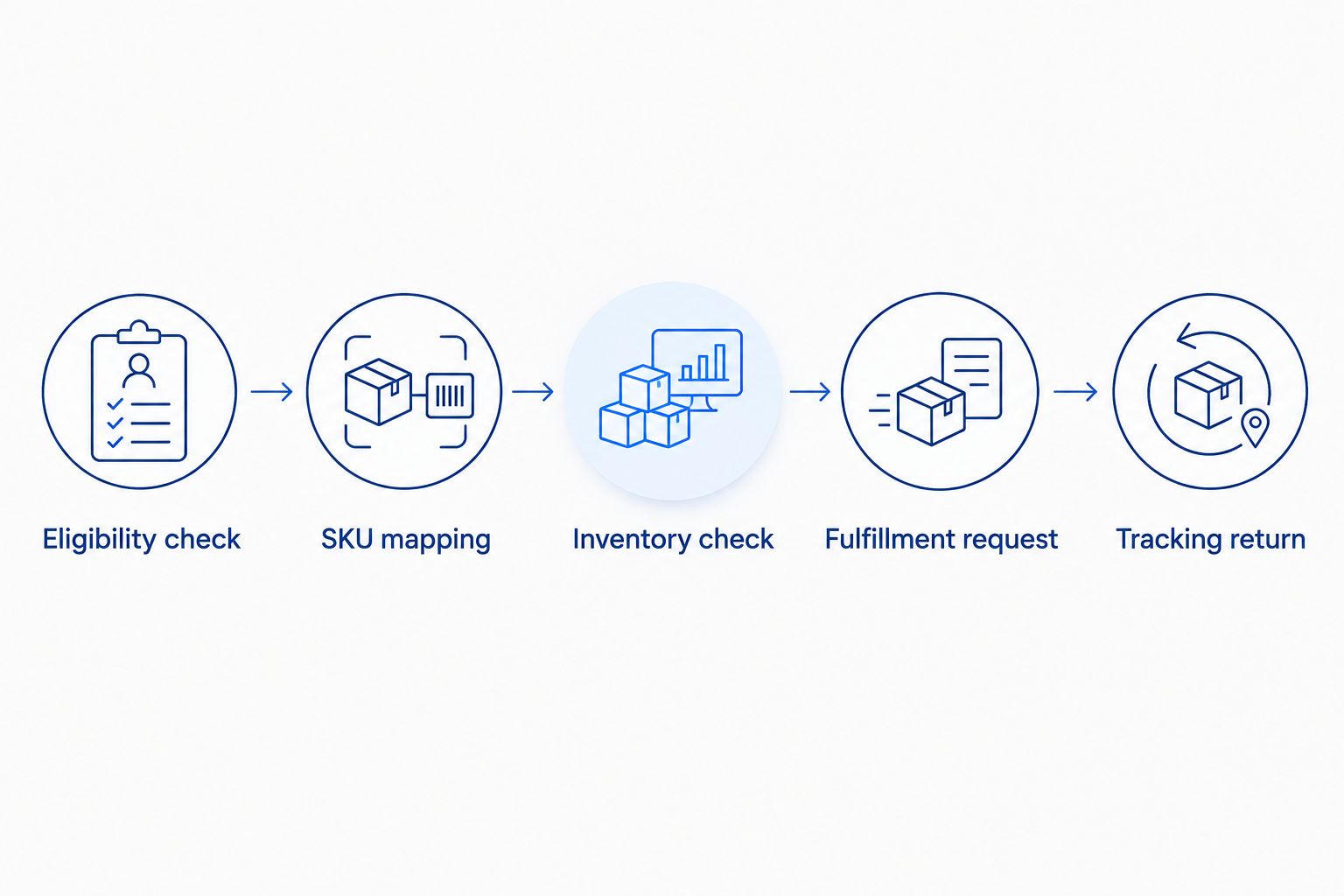
Use an explicit sequence: Eligibility check, SKU mapping, Inventory check, Fulfillment request, and Tracking return. Reject failures at the relevant stage instead of allowing incomplete orders to move downstream.
Inventory allocation and fulfillment request
A shared inventory pool needs a deliberate allocation rule. Do not publish every fulfillable Amazon unit to Walmart while Amazon orders are also consuming that stock.
- Choose the inventory authority. Assign one inventory service or connector to calculate and publish Walmart availability. Disable competing quantity updates for the same SKU.
- Calculate publishable inventory. Begin with eligible fulfillable units, subtract your operating reserve and commitments not already reflected in that balance, then prevent negative results. Avoid subtracting the same reservation twice.
- Check availability again. Recheck the mapped SKU before order submission. A previously published quantity is not a guarantee that inventory remains available when the order arrives.
- Set the shipment instruction. Populate Amazon’s
quantity,destinationAddress, andshippingSpeedCategoryfrom the validated order and delivery requirement. Select a supported shipping category that meets the promise made to the buyer. - Apply shipment restrictions. Configure the supported controls needed for compliant packaging and carrier selection. If the required restriction cannot be enforced for that order, stop automatic submission.
- Submit and record acceptance. Set
fulfillmentActiondeliberately. UseShipfor a request intended for fulfillment; do not confuse creating a held request with releasing an order. Record the response and request identifier.
For the 2026 launch, document the inventory formula in plain language alongside the integration configuration. Your operations team must be able to explain why Walmart shows a given quantity without reverse-engineering the connector.
Expected result: Walmart receives a controlled inventory quantity, and an accepted fulfillment request contains the intended item, destination, delivery instruction, and shipment restrictions.
Submission controls
Separate an unsuccessful request from an uncertain request. A validation error needs correction; a timeout needs a status check before any retry.
Use the same stored fulfillment identifier to investigate uncertain submissions. Generating a fresh identifier after every timeout defeats duplicate prevention and risks dispatching the order again.
Tracking return and exception ownership
Order acceptance, shipment creation, and delivery are different events. Your integration must preserve that distinction.
- Acknowledge the Walmart order appropriately. Follow Walmart’s order-acknowledgment requirements. Acknowledgment records that the order is being handled; it does not mean the parcel has shipped.
- Monitor fulfillment status. Retrieve status updates through your supported integration. Keep accepted, held, canceled, and shipped states separate in the internal order record.
- Collect shipment details. Capture the tracking number, carrier, shipped quantity, and corresponding order lines. Validate that the carrier and tracking format are accepted for the destination marketplace.
- Return actual shipment events. Submit Walmart shipment confirmation only when the shipment exists and the required details are available. Do not use the initial MCF acceptance response as shipping confirmation.
- Handle split shipments. Associate each parcel with the relevant order lines and quantities. Do not mark the whole order shipped after receiving tracking for only part of it.
- Reconcile exceptions. Assign an owner for rejected updates, missing tracking, delayed fulfillment, and cancellation requests. Record the next action against the order rather than leaving it in a generic error log.
Expected result: each Walmart shipped quantity has a matching fulfillment shipment and usable tracking, while unresolved orders remain visible to an accountable operator.
Before scaling the 2026 connection, compare the Walmart order record, the MCF fulfillment record, and the integration log. All must agree on item identity, quantity, shipment state, and tracking.
Update Walmart inventory whenever Amazon availability changes
Inventory synchronization is the adjacent workflow worth building alongside order routing. It reduces the gap between what you advertise as sellable and what the fulfillment source can actually ship.
- Read changed availability. Use your integration’s supported inventory updates or scheduled retrieval. Apply the same marketplace and SKU mappings used for order routing.
- Recalculate the allocation. Apply the reserve and commitment rules from the main workflow. Do not introduce a second formula for background updates.
- Publish through the inventory authority. Send the resulting quantity to Walmart through the designated writer. Record the last successful update and surface failures.
- Handle stale data deliberately. Define when an outdated inventory reading should stop further sales. Choose that threshold from your operating requirements, not a generic interval copied from another seller.
Expected result: order routing and inventory publication use the same stock definition across 2 marketplaces, without competing writers.
The trade-off is tighter channel coupling: Amazon inventory changes now affect Walmart availability. Keep a manual pause control and document who can use it.
Troubleshooting
The fulfillment request appears twice
Stop automatic retries and compare the stored identifiers with Amazon’s fulfillment records. Retrieve the status of the original request before submitting anything else. Fix the duplicate-prevention logic, then review any duplicate physical orders individually.
Walmart shows inventory, but MCF rejects the order
Compare the last inventory update with current fulfillable inventory and outstanding commitments. Check for stale readings, competing quantity writers, and reservations counted incorrectly. Correct the allocation rule before restoring automatic submission.
The parcel does not meet shipment requirements
Pause the route for affected orders. Review the actual packaging and carrier configuration against current marketplace requirements; do not treat a generic unbranded setting as proof of compliance. Use another compliant route if the required controls are unavailable.
Walmart rejects the tracking update
Check the carrier mapping, tracking number, shipment date, and order-line quantities against the actual shipment. Resubmit corrected shipment information through the supported process. Never substitute a different carrier name merely to make validation pass.
A cancellation arrives after submission
Check the current fulfillment state before promising cancellation. Request cancellation through the supported process, then reconcile the outcome with Walmart. If shipment cannot be stopped, handle the order under the applicable marketplace process rather than recording a cancellation that did not occur.
Customize your workflow
Once fulfillment reconciles consistently, connect inventory decisions to demand generation. Advertising and shared-stock allocation should not operate from conflicting assumptions about available units.
The guide to automatically pausing Amazon PPC campaigns when FBA inventory runs low extends that control into advertising. Keep the advertising rule separate from fulfillment eligibility: stopping an ad does not cancel an accepted order.
For a 2026 operating review, track exceptions by cause rather than collecting a single success percentage. Separate mapping failures, insufficient inventory, uncertain submissions, and tracking rejections. Each category requires a different fix.
Atlisco’s Amazon PPC and listing SEO services fit the growth side of this operating model. Keep fulfillment accountability explicit even when growth work sits with an agency.
FAQ
Can I use Amazon FBA inventory to fulfill Walmart orders?
Amazon MCF can fulfill eligible off-Amazon orders using eligible Amazon-held inventory, but your Walmart fulfillment arrangement must meet current Walmart requirements. Verify the specific service, packaging, carrier, and tracking configuration before enabling it.
Is Amazon FBA to Walmart multi channel fulfillment the same as WFS?
No. Amazon MCF fulfills eligible off-Amazon orders from Amazon-held inventory; Walmart Fulfillment Services is a separate fulfillment service. Connecting order systems does not move inventory into WFS.
Do I need matching SKUs on Amazon and Walmart?
You need an accurate mapping, not necessarily identical SKU text. Map each Walmart SKU to the correct Amazon seller SKU and verify the sellable unit, pack size, and marketplace.
How do I prevent duplicate fulfillment orders?
Store a stable fulfillment request identifier and check the original request before retrying an uncertain submission. A timeout does not prove that Amazon rejected the order.
When should I send tracking back to Walmart?
Send shipment confirmation when an actual shipment and the required tracking details exist. Match the shipped quantities and order lines, especially when an order leaves in separate parcels.
Should I publish all my Amazon inventory on Walmart?
Publish only the quantity your allocation rule makes available to Walmart. Account for eligible fulfillable inventory, reserves, and commitments without counting the same reservation twice.
Can Atlisco replace my fulfillment connector?
Atlisco’s stated services are Amazon PPC management, listing SEO, and growth partnerships. Use a supported order-management integration for order routing, inventory synchronization, and shipment updates.
One last thing
Test the failure path before adding more SKUs. Replay a processed order through a non-shipping test path, simulate an uncertain response, and verify that the workflow checks the existing request instead of creating another. A successful shipment proves routing works; a safe retry proves the integration controls duplication.