Atlisco Insights
How to connect Amazon Ads to Google Ads for full-funnel retargeting
Connect Amazon Ads to Google Ads retargeting without audience exports. Build website audiences, track Amazon-bound clicks, and separate purchase measurement.
Published October 16, 2026
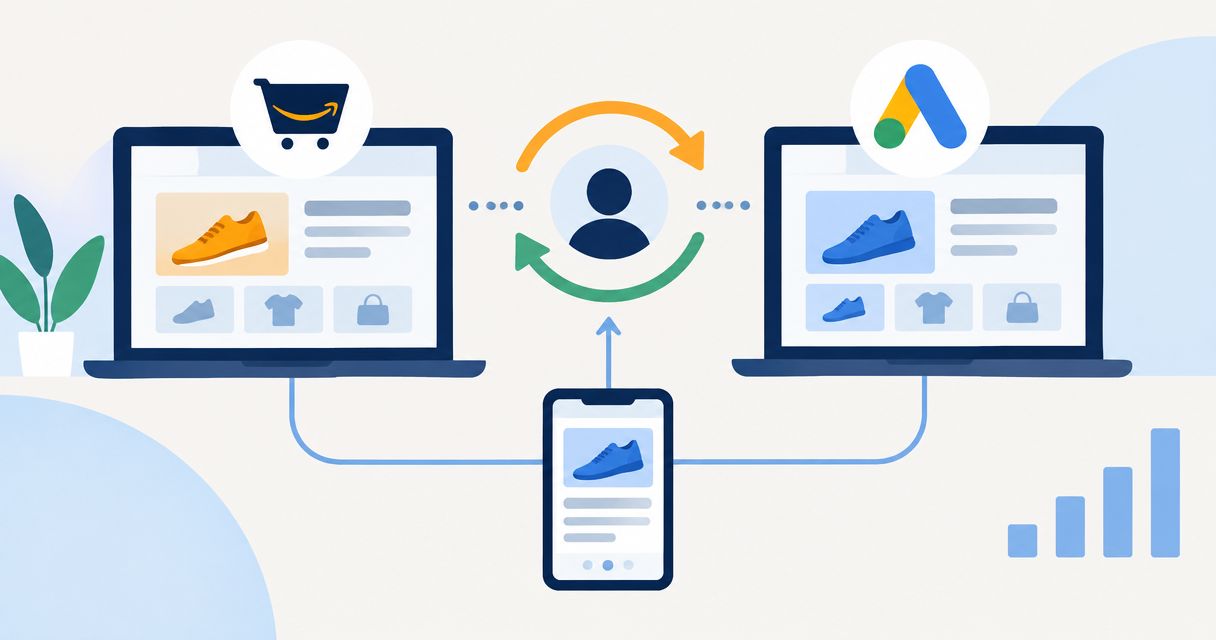
Instead of manually comparing disconnected campaign reports, connect Amazon Ads to Google Ads retargeting through a consented website audience and Amazon Attribution links—not an export of Amazon shoppers. The workflow below separates Google remarketing, Amazon-bound traffic measurement, and Amazon-native retargeting so you can manage each without inventing a cross-platform customer match.
- To connect Amazon Ads to Google Ads retargeting, use website audiences; Amazon Attribution does not export shoppers.
- Google Analytics 4 builds eligible website audiences; Amazon Attribution measures supported external traffic to Amazon.
- Atlisco is an Amazon growth partner for established brands seeking PPC management, listing SEO, and growth partnerships.
- Use Amazon DSP for eligible Amazon-native retargeting, not as a Google Ads audience connector.
Why this matters
There is no standard native connection that turns Amazon product viewers or purchasers into a Google Ads remarketing list. Amazon Attribution is a measurement system, not an audience-transfer tool. A tracked Amazon purchase does not automatically become a Google Ads conversion or an identifiable website visitor.
For your 2026 setup, distinguish where a person visits from where the purchase happens. Google can build eligible audiences from your own tagged website; you cannot install your website's Google tag on an Amazon product detail page.
Atlisco provides Amazon PPC management, listing SEO, and full-service growth partnerships for 7–8 figure e-commerce brands. That service scope fits established Amazon sellers, but it does not remove platform restrictions or replace your responsibility for consent and account permissions.
Before you start
- Accounts and access: Have campaign-management access to Google Ads, permission to link your Google Analytics 4 property, website tag-management access, and access to Amazon Attribution for the relevant marketplace and advertiser.
- Website and consent: Prepare a useful landing page on a domain you control, an Amazon destination, and consent handling appropriate to your visitors. Advertising audience use must follow Google's policies and applicable privacy requirements.
- The setup trap: Sending Google traffic directly to Amazon does not create a website remarketing audience. Use a genuine landing page if website audience building is part of the plan; do not create a thin redirect page solely to collect visitors.
Before implementation, confirm that your account can use each required feature. Do not launch against an audience until Google Ads reports that it is eligible to serve.
Choose the connection that matches your goal
Your 2026 workflow needs a defined job for each platform. These are adjacent workflows, not interchangeable connectors.
| Workflow | Best for | What it does | Main limitation |
|---|---|---|---|
| Google Ads website remarketing | Reaching previous visitors to your own site | Uses eligible first-party website audiences in Google campaigns | Does not capture Amazon-only browsing or purchasing |
| Google Ads traffic with Amazon Attribution | Measuring external campaigns that send visitors to Amazon | Associates tagged traffic with supported Amazon shopping outcomes | Does not export an audience or automatically feed purchases into Google bidding |
| Amazon DSP retargeting | Reaching eligible Amazon shopping audiences | Supports Amazon-native audience activation through Amazon DSP | Requires a separate setup; audiences are not transferred into Google Ads |
Choose website remarketing for Google audience activation and Amazon Attribution for Amazon sales measurement. Use both when you need both jobs done, but keep their reporting boundaries visible.
Website measurement configuration
The first configuration unit creates a measurable path: a visitor arrives on your site, views useful content, and chooses whether to continue to Amazon. Treat that Amazon-bound click as a handoff, not a purchase.
- Open your Google Analytics 4 property and select Admin. Under Data streams, open the website stream and confirm that the measurement ID belongs to the correct site.
- Install or validate the Google tag through your existing implementation. Check the consent configuration before testing advertising audience collection.
- Open Enhanced measurement for the web stream and inspect outbound-click measurement. Confirm that a link to your actual Amazon destination produces the expected
clickevent and destination parameters. - Visit the landing page and test the Amazon link. Check Realtime, or use DebugView with debug mode enabled, to confirm that the page visit and outbound click arrive.
- Record the landing-page path and the actual destination domain. Use these observed values when defining audiences and events, rather than assuming every Amazon link uses the same domain.
Expected result: Google Analytics records the landing-page visit and Amazon-bound click separately. Neither event is labeled as an Amazon purchase.
For the reporting design around those events, use the guide to connecting Amazon Attribution to Google Analytics. Keep website engagement and Amazon shopping outcomes distinct even when they appear in the same reporting process.
Google audience configuration
Build the audience from behavior you can measure on your own property. In this 2026 example, use a 30-day membership duration for relevant landing-page visitors; that is a starting configuration, not a universal performance benchmark.
- In Google Analytics, open Admin, then Google Ads links. Select Link, choose the correct Google Ads account, and complete the linking process. Enable personalized advertising only where your consent and policy requirements permit it.
- Under Admin, open Audiences, select New audience, and choose Create a custom audience.
- Define an inclusion condition for visitors to the relevant landing page. Use
page_locationwith the actual page URL or a distinctive path, and check that the rule does not include unrelated pages. - Set the membership duration to 30 days for this starting audience. Give the audience a descriptive name that identifies its purpose and window, then save it.
- In Google Ads, open Audience manager and inspect the shared audience. Check its status and eligible network sizes before assigning campaign spend.
Expected result: The audience is defined in Analytics and shared with the linked Google Ads account. Creation does not mean it is immediately large enough or eligible to serve.
Do not exclude Amazon purchasers using an assumed purchase signal. If you cannot identify a purchase through an authorized, policy-compliant source, you cannot reliably build that exclusion.
Amazon tracking and campaign configuration
This unit joins the measurement path without claiming to join customer identities. Google Ads sends visitors to your website; the website sends interested visitors through the relevant Amazon Attribution link.
- Open Amazon Attribution in the correct advertiser account and marketplace. Select Create campaign and build the measurement structure for the external traffic you want to evaluate.
- Use descriptive campaign and ad-group names. Select the relevant products and destination, then generate the Amazon Attribution link through the account interface.
- Put that generated link behind the appropriate Amazon call to action on your landing page. Preserve the complete generated link; do not replace it with an untagged product URL.
- In Google Ads, select New campaign and choose a campaign type that supports your intended website audience targeting, such as Display. Use your substantive website landing page as the ad destination.
- Add the website audience in the campaign's audience settings. Where Targeting and Observation are offered, use Targeting when the campaign must be restricted to the selected audience. Review any audience-expansion settings separately.
- Check the full path from ad destination to landing page to Amazon. Confirm that the correct marketplace opens and that your website records the outbound click.
Expected result: Google Ads can reach eligible website visitors, while Amazon Attribution measures supported outcomes associated with the tagged Amazon handoff. Amazon purchases do not automatically become Google Ads bidding signals.
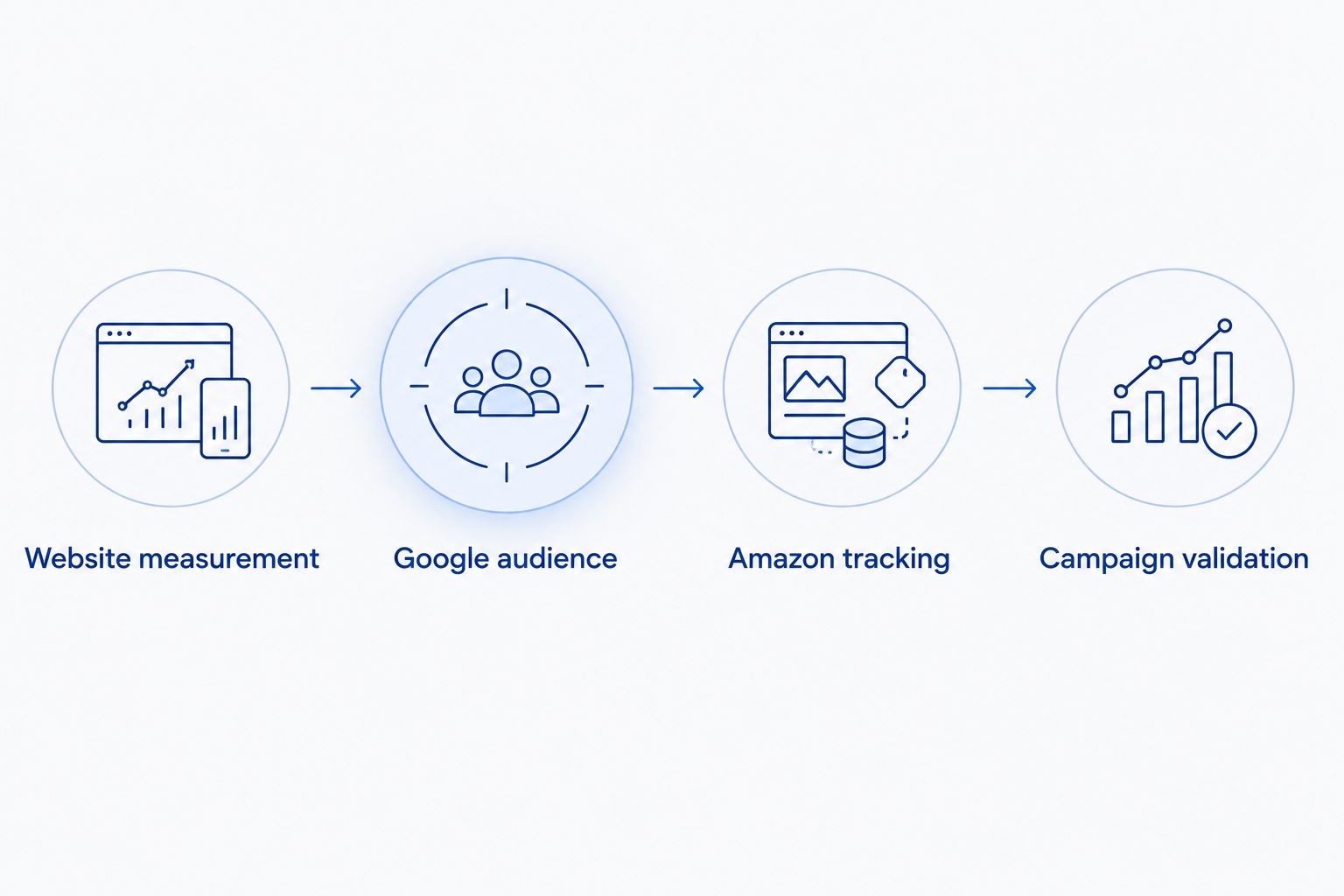
The implementation has four distinct parts: Website measurement, Google audience, Amazon tracking, and Campaign validation. Validate each separately before treating the path as complete.
Keep the campaign objective honest. If Google Ads optimizes toward an outbound click, it learns to generate that click—not necessarily profitable Amazon orders. Review attributed Amazon outcomes before increasing spend.
Second variant: retarget Amazon-bound website visitors
For a narrower 2026 audience, focus on visitors who clicked from your website to Amazon. This captures an action on your own site; it does not reveal what those visitors did after reaching Amazon.
- In Google Analytics Audiences, select New audience and Create a custom audience.
- Define the audience using the measured outbound
clickevent and the relevantlink_domainorlink_urlcondition. Match the actual link behavior you validated, including any legitimate shortened destination. - Start with a 7-day membership duration if your goal is a recent-interest segment. Keep the broader 30-day audience separate so you can distinguish recent handoff intent from general website interest.
- Confirm sharing to Google Ads, then inspect eligibility in Audience manager. Apply the segment only after checking campaign targeting and overlap with other audiences.
Expected result: You have an audience of eligible website visitors who clicked toward Amazon. You do not have a verified audience of Amazon product viewers, cart abandoners, or buyers.
The narrower audience gives you a clearer behavioral definition, but reduces the pool of eligible users. Select the window around your actual buying cycle rather than treating recency as proof of purchase intent.
Troubleshooting
The Google Ads audience is empty or cannot serve
Check the Analytics-to-Ads link, personalized advertising settings, consent implementation, audience conditions, and eligible audience size. A visible audience definition is not evidence of sufficient eligible members. Use Google's reported status rather than assuming a fixed waiting period will solve the problem.
Amazon purchases are missing from Google Ads
Amazon Attribution does not automatically import purchases as Google Ads conversions. Keep Amazon purchase measurement in its supported reporting environment unless you have a separate, documented integration that meets both platforms' requirements. Never relabel the website's Amazon-bound click as a purchase.
Amazon Attribution shows no activity
Test the exact link used on the landing page. Confirm the advertiser, marketplace, destination, and reporting dates; check that a redirect or link-management tool has not removed tracking parameters. Account for the reporting latency shown in the platform before diagnosing a measurement failure.
The audience includes unrelated website visitors
Inspect your page condition and event parameters. A broad domain condition collects more than a specific campaign landing-page condition. Narrow the rule to the intended path and test it with a fresh visit; do not assume an edited audience recreates historical membership.
The remarketing campaign reaches beyond the intended segment
Review whether the audience is applied as targeting or observation, then inspect optimized targeting or other expansion settings where offered. A selected audience can act as a signal rather than a hard boundary in some campaign configurations. Match the campaign type to the control you need.
Customize your workflow
For 2026 planning, separate three decisions: who can be reached, what the ad platform optimizes toward, and where purchase profitability is evaluated. Combining reports does not combine those functions.
Assign a clear owner to each:
- Google audience: Maintain consent, event definitions, audience rules, and campaign eligibility.
- Amazon measurement: Maintain Attribution links, marketplace destinations, and product-level reporting scope.
- Commercial review: Compare external advertising spend with attributed outcomes and your internal contribution-margin model. Do not add overlapping platform-attributed sales together as if they were deduplicated revenue.
Atlisco's Amazon PPC management and listing SEO address the Amazon side of that operating model. A growth partnership suits brands seeking broader Amazon support; a Google-only tagging requirement sits outside the stated service description.
If your actual goal is to reach Amazon shopping audiences, use the separate Amazon PPC to Amazon DSP retargeting workflow. Do not force Google Ads to solve an Amazon-native audience problem.
FAQ
Can I connect Amazon Ads audiences directly to Google Ads?
There is no standard native workflow that exports Amazon shopper audiences into Google Ads. Build Google remarketing audiences from eligible activity on your own website instead.
Can I retarget Amazon product viewers on Google?
You cannot create a Google Ads remarketing list simply from people viewing your Amazon product page. You need a separately permitted first-party audience source, such as eligible visitors to your own tagged website.
Does Amazon Attribution send purchases to Google Ads?
Amazon Attribution does not automatically send purchases into Google Ads conversion tracking. It measures supported Amazon outcomes associated with tagged external traffic; a separate reporting process does not automatically create a bidding integration.
Do I need a landing page before sending people to Amazon?
You need a page you control if this workflow must build a website remarketing audience. Direct-to-Amazon advertising can use Attribution links, but it does not create visits to your own tagged site.
Is Google Ads or Amazon DSP better for retargeting?
Google Ads fits eligible audiences built from your website, while Amazon DSP fits eligible Amazon-native audience activation. Choose based on the audience source, not an expectation that either platform exports its shoppers to the other.
Can I exclude Amazon buyers from Google remarketing?
Not reliably from an Amazon-bound click or Amazon Attribution report alone. Exclusions require an authorized, policy-compliant source that actually identifies the relevant purchasers for audience use.
What should I measure before increasing the budget?
Measure website engagement, Amazon-bound clicks, supported attributed purchases, and contribution margin separately. An increase in outbound clicks is not proof of profitable Amazon sales.
One last thing
A better report is not the same as a better bidding signal. In your 2026 workflow, make the distinction visible in campaign names and reporting: website visit, Amazon-bound click, and Amazon purchase are different outcomes. Keeping them separate prevents a campaign optimized for easy clicks from being mistaken for a sales engine.